
Technical SEO · Supporting checklist

Redirect Audit Checklist

A redirect audit checklist is a technical SEO workflow for checking how an old or alternate URL reaches its intended destination. Build a source-to-target map, inspect each response, and correct loops, avoidable hops and irrelevant landing pages. Use the checks below to verify the route and the page at the end; a working redirect does not guarantee indexing or preserved rankings.

Free to useNo account neededSaved in your browser
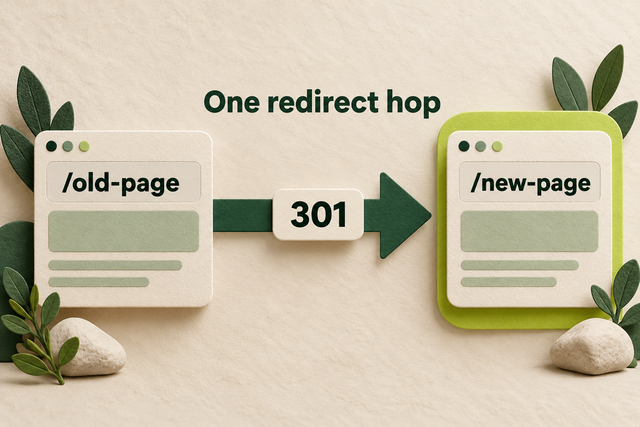
An old-page card connects directly to a new-page card through one arrow labeled 301.
Original illustration: an old URL redirects directly to its new destination in one hop.
Your working checklist

Work through the checklist

Click a square to mark a task as Pass. Click again to undo. Use the result menu for a problem, a blocker or a task that does not apply. You do not need to enter notes.

14 checks

Build the Redirect Inventory

Start with the addresses people and crawlers still request. A crawl of today’s navigation can miss old URLs that disappeared from the website years ago.

Collect old URLs and their intended destinations

Give every reviewed source a clear destination or removal decision.

Use this for: Existing redirects and URLs affected by a planned or recent change.

Combine the existing redirect export with old migration maps, previous sitemaps and important landing pages from Search Console or analytics. Keep the full host, path and query string when they affect the route. Deduplicate exact repeats without collapsing distinct language or product URLs.

Create columns for source URL, intended destination, permanent or temporary intent, observed route and next action. For a small review, start with the old addresses that customers still use. For a larger migration, test the full known list rather than only the URLs a homepage crawl discovers.

Example

Hypothetical example: An old brochure links to /heating/boiler-repairs/, which no longer appears in navigation. Add it to the map with /services/boiler-repair/ as the proposed equivalent.

  1. Export existing rules and collect historical URLs from the sources you have.
  2. Assign a relevant destination, temporary route or genuine removal decision to each source.
  3. Keep unresolved mappings visible until the content owner decides where the old page belongs.
More help and optional notesHigh · SEO lead and content owner
PassEach reviewed source has a deliberate mapping or removal decision.
FailAn important old address is missing or its destination is guessed.

If it fails: Recover the missing source and compare its former purpose with the proposed target.

Retest: Compare the completed map with the known old URL list.

Not applicable: No redirect or URL-change review is being carried out.

Keep in mind: The inventory is only as complete as the historical sources available.

Optional: the URL, observed response and next action. Keep confidential data out of shared exports.

No result recorded yet.

Changing this result updates your checkmark and progress immediately. Notes are optional.

Read the first response and the final response

Expose redirects that the address bar hides.

Use this for: Every source URL in the redirect sample or uploaded list.

In Chrome, open Developer Tools, choose Network, and enable Preserve log. Keep DevTools open, enable Disable cache, clear the log, then enter the exact source URL. Inspect the document requests in order. Under Headers, read the status and any Location response header; open the final document and check its content.

For a larger list in Screaming Frog, use Mode > List, upload the source addresses, and enable Always Follow Redirects in the spider configuration. Review the All Redirects report for source, hops and final response. A test that stops at the first 301 has not checked the destination.

Example

Hypothetical example: The address bar shows /services/boiler-repair/, but Network reveals /heating/boiler-repairs/ → /repairs/ → /services/boiler-repair/. The middle URL is a hop to review.

  1. Request the exact source with redirect history retained.
  2. Read every document status and destination, including the last response.
  3. Compare the observed route with the intended mapping.
More help and optional notesHigh · Developer and SEO lead
PassThe complete observed route is known and matches the intended destination.
FailA hop is untested, the final response fails, or the route differs from the mapping.

If it fails: Investigate the first point where the observed route diverges.

Retest: Repeat from the original source, not just the final URL.

Not applicable: No source URLs are in scope.

More detail (optional)

A browser can show an internal HTTPS upgrade that did not come from the server. If that obscures the first response, ask the developer to verify the original URL with a fresh HTTP GET request. Disabling the browser cache does not clear CDN caches or remove all browser security state.

Optional: the URL, observed response and next action. Keep confidential data out of shared exports.

No result recorded yet.

Changing this result updates your checkmark and progress immediately. Notes are optional.

Check Permanent Redirects

A permanent redirect should represent a lasting move to a suitable replacement. Verify the destination’s purpose before choosing the response code.

Match the destination to the old page’s purpose

Avoid sending every retired page to a generic landing page.

Use this for: Permanent moves, content merges and retired pages with proposed replacements.

Open the proposed target and compare it with the old page’s title, main topic, language and user task. Use the previous content or migration record when the old page can no longer be opened. A specific repair-service page needs a useful continuation of that service, not merely a page on the same domain.

If content has no relevant replacement, a genuine 404 or 410 can be the correct outcome. Do not create a homepage redirect just to remove an error count. Where several old pages were merged, check that the combined page actually covers the material users came for.

Example

Hypothetical example: A retired boiler-pressure guide can lead to a consolidated boiler-pressure troubleshooting guide. Sending it to a general company homepage would leave the original question unanswered.

  1. Compare the old page’s purpose with the proposed target’s main content.
  2. Check language, product or service identity and the action a visitor needs.
  3. Choose the closest useful replacement, or retain a genuine removal response when none exists.
More help and optional notesHigh · Content owner and SEO lead
PassThe target serves the old visitor’s task, or removal is handled honestly.
FailThe redirect lands on an unrelated page or hides a removal behind a generic destination.

If it fails: Remap the source to the relevant replacement or use the intended removal response.

Retest: Follow the source and evaluate the page a visitor actually receives.

Not applicable: No URLs in the review use this behavior.

Optional: the URL, observed response and next action. Keep confidential data out of shared exports.

No result recorded yet.

Changing this result updates your checkmark and progress immediately. Notes are optional.

Confirm lasting moves return 301 or 308

Make the HTTP response agree with the move’s intent.

Use this for: URLs that have permanently moved.

In the CMS redirect screen, hosting rules or CDN rule, confirm that the move is permanent. Then check the source in Network or your crawler: the published response should be 301 or 308 and its Location should name the intended destination. The setting in the editor is not proof of the response visitors receive.

Use 302 or 307 for a genuinely temporary route. Do not rewrite every redirect to 301 because a crawler highlights it. If a rule affects form submissions or an API, have the developer check request-method behavior before changing it.

Example

Hypothetical example: A renamed service will stay at /services/heat-pumps/. Its old address returns 302 because the CMS used a temporary default; change that rule to the appropriate permanent response and retest.

  1. Confirm with the page owner that the move is lasting.
  2. Inspect the source response and Location at the public URL.
  3. Correct an unintended temporary rule and request the source again.
More help and optional notesHigh · Developer and SEO lead
PassThe source returns an appropriate permanent response to the intended target.
FailA lasting move returns an unintended temporary response or points elsewhere.

If it fails: Correct the responsible redirect rule after confirming the move’s intent.

Retest: Request the original address and verify its status and target again.

Not applicable: No URLs in the review use this behavior.

More detail (optional)

A 307 or 308 preserves the request method and body. A 301 or 302 can result in POST becoming GET. This checklist’s ordinary page checks use GET; a successful page navigation does not validate a form or payment workflow.

Optional: the URL, observed response and next action. Keep confidential data out of shared exports.

No result recorded yet.

Changing this result updates your checkmark and progress immediately. Notes are optional.

Check whether JavaScript or refresh code performs the move

Identify redirects that depend on a browser processing the page.

Use this for: Pages that move after an initial successful response or rely on browser scripts.

If the source initially returns 200 and the browser moves afterward, inspect the original response for a Refresh header or a meta refresh element. Check the Network initiator and page script for location-based navigation. This is different from an HTTP 301 or 302 response, even if the final address looks identical.

For an ordinary moved public page, prefer a server-side redirect when the platform supports it. JavaScript redirects depend on rendering, which can fail. If a platform forces a client-side fallback, verify the actual mechanism and destination instead of reporting it as a server redirect.

Example

Hypothetical example: An old campaign page serves a blank 200 document whose script sends visitors to the new campaign. A server-side rule can make the move explicit before the blank page loads.

  1. Compare the source HTTP response with the browser’s subsequent navigation.
  2. Identify the HTTP, meta refresh, Refresh-header or JavaScript mechanism.
  3. Use the platform’s supported server redirect for the move when possible and retest.
More help and optional notesHigh · Developer and SEO lead
PassThe mechanism is known, appropriate for the use case and verified to reach its target.
FailThe audit mistakes browser navigation for an HTTP redirect or a required fallback fails.

If it fails: Replace unnecessary client-side navigation or repair and verify the unavoidable fallback.

Retest: Test the source response and the resulting page after publication.

Not applicable: No URLs in the review use this behavior.

More detail (optional)

Google distinguishes instant meta refresh from delayed refresh: the former is interpreted as permanent and the latter as temporary. A fallback is not automatically invalid, but its limitations need to be understood.

Optional: the URL, observed response and next action. Keep confidential data out of shared exports.

No result recorded yet.

Changing this result updates your checkmark and progress immediately. Notes are optional.

Check Temporary Redirects

Temporary routes need a reason to end or be reviewed. Their status should describe the current behavior, not a forgotten default.

Give temporary redirects a reason and a review point

Keep short-term routing from becoming an unexplained permanent state.

Use this for: 302 and 307 page redirects.

Filter your crawler’s redirects for 302 and 307. In the matching CMS, application or CDN setting, find why each route exists. Ask whether the source should return later, and identify the event or date that ends the temporary arrangement.

Keep an intentional temporary redirect while it serves that purpose. When the original page returns, remove the temporary rule and test the original address. If the move has become permanent, update the decision and response together; there is no universal number of days that makes every temporary redirect wrong.

Example

Hypothetical example: A booking page temporarily sends visitors to a replacement scheduler during an upgrade. Its review point is the scheduler’s return, not an arbitrary redirect-age threshold.

  1. Review the 302 and 307 sources in the crawl results.
  2. Confirm their temporary purpose and the event or date for review.
  3. Restore the source or change the move to permanent when that decision is made.
More help and optional notesMedium · Developer and SEO lead
PassThe temporary behavior is intentional and has a clear review or removal point.
FailA temporary response is unexplained or remains after the original reason ended.

If it fails: Confirm the desired current behavior and change the rule accordingly.

Retest: Test the source after restoration or the permanent change.

Not applicable: No URLs in the review use this behavior.

Optional: the URL, observed response and next action. Keep confidential data out of shared exports.

No result recorded yet.

Changing this result updates your checkmark and progress immediately. Notes are optional.

Test redirects that change with cookies or language

Make sure public visitors reach the intended page.

Use this for: Public redirects controlled by session, language, region or device conditions.

Open the source in a fresh signed-out session and compare it with the normal browser session. If your site uses language, region or device routing, use approved test settings or ask the developer to test those branches. Check the actual landing language and route, not only whether the browser loads something.

A locale redirect that works for your saved preference can send first-time visitors elsewhere. Keep private account routes protected, and do not treat a signed-in success as proof that a public search landing page is accessible.

Example

Hypothetical example: A French support URL opens in French for returning users but redirects new visitors to the English homepage. The saved language cookie concealed the default-route problem.

  1. Test the same public source in a signed-out session.
  2. Compare applicable language, region or device branches with their intended destinations.
  3. Repair the incorrect branch and repeat the affected visitor journeys.
More help and optional notesHigh · Developer and SEO lead
PassTested visitor states reach the appropriate public destination without a loop.
FailA supported visitor state reaches an irrelevant page, login gate or repeated redirect.

If it fails: Correct the relevant conditional rule with the application owner.

Retest: Repeat the same state and a second unaffected state.

Not applicable: No reviewed redirect uses conditional routing.

More detail (optional)

Changing a user-agent string is a useful simulation, not proof of a real search crawler’s request. Use verified crawler records when diagnosing crawler-specific routing.

Optional: the URL, observed response and next action. Keep confidential data out of shared exports.

No result recorded yet.

Changing this result updates your checkmark and progress immediately. Notes are optional.

Remove Chains, Loops and Broken URL Variants

Trace the route before editing it. Fix the rule that creates the unwanted hop, while preserving destinations and behavior that visitors still need.

Point old sources directly to the final destination

Remove avoidable intermediate URLs.

Use this for: Redirect paths containing avoidable intermediate hops.

In Screaming Frog, open Reports > Redirects > Redirect Chains, or read the preserved Network document requests. For each chain, locate the rule for the first old URL and compare its target with the final relevant page. Change the old rule to that final page when no required intermediate behavior is lost.

Keep each old source that still needs to work. Flattening /old-a/ → /old-b/ → /current/ means making both old addresses lead to /current/; it does not mean deleting /old-b/ while other visitors still use it.

Example

Hypothetical example: Two redesigns left /insulation/ → /home-insulation/ → /services/insulation/. Update the first mapping to /services/insulation/ and verify both historical addresses.

  1. Identify each avoidable hop and its rule owner.
  2. Point affected sources directly at the intended final page.
  3. Retest every changed source and confirm the final response and content.
More help and optional notesMedium · Developer and SEO lead
PassReviewed sources take the shortest practical valid route to their intended destination.
FailAn unnecessary intermediate move remains or flattening breaks another source.

If it fails: Update the earlier mapping without removing useful historical entry points.

Retest: Trace all affected sources again from their original URLs.

Not applicable: No avoidable redirect chains were found.

Keep in mind: A one-hop target is a practical design goal, not a guarantee of search performance.

Optional: the URL, observed response and next action. Keep confidential data out of shared exports.

No result recorded yet.

Changing this result updates your checkmark and progress immediately. Notes are optional.

Remove the rule that sends a request back around

Restore access when redirects never reach a page.

Use this for: A crawler loop finding or a browser’s too-many-redirects error.

Use the redirect trace to find the first repeated URL. Then inspect the rules producing the two conflicting moves. Common places to compare are the CDN’s hostname or HTTPS settings, the origin server and the CMS redirect plugin.

Correct the conflicting condition at its source. Do not add another redirect on top of a loop. After the change, test both URLs and any affected host or protocol variants so the same conflict cannot restart from another entry point.

Example

Hypothetical example: /offers/ redirects to /promotions/, but an older plugin rule sends /promotions/ back to /offers/. Removing the obsolete rule lets the intended page load.

  1. Find the repeated address in the redirect trace.
  2. Locate and correct the rules creating the cycle.
  3. Request every affected entry URL and confirm that each route terminates.
More help and optional notesCritical · Developer and SEO lead
PassThe tested routes terminate at the intended page without repeating an address.
FailA repeated URL or conflicting rule still prevents reaching the page.

If it fails: Remove or correct the conflicting rule with the responsible developer.

Retest: Trace the original source and the other entry variants again.

Not applicable: No loop is present in the reviewed routes.

Optional: the URL, observed response and next action. Keep confidential data out of shared exports.

No result recorded yet.

Changing this result updates your checkmark and progress immediately. Notes are optional.

Test hostname, HTTPS and path variants

Make alternate forms reach the same intended secure page.

Use this for: Sites using alternate hosts, HTTPS upgrades or path normalization.

For a representative deep page, test the hostnames and HTTP or HTTPS forms your site supports. Include the path variants your rules deliberately normalize, such as a trailing slash. Inspect the full destination: a hostname rule that keeps the domain but drops the path still sends people to the wrong page.

Prefer a direct route to the chosen secure URL. Do not introduce blanket lowercase or trailing-slash rules without checking the application’s real URL behavior; different paths can represent different resources. Fix a certificate problem through the host rather than bypassing a browser warning.

Example

Hypothetical example: The HTTP version of /services/insulation/ reaches the HTTPS homepage. The redirect needs to preserve the service path, not just upgrade the protocol.

  1. Choose a real deep URL and the variants supported by your site.
  2. Trace each variant and compare its final host, protocol and path.
  3. Correct inconsistent normalization and retest the deep page plus the homepage.
More help and optional notesHigh · Developer and SEO lead
PassSupported variants reach the intended secure page with the correct path.
FailA variant loses the path, downgrades security, loops or reaches a different page.

If it fails: Correct the host, protocol or path rule and resolve certificate issues through the host.

Retest: Request each affected variant in a fresh test.

Not applicable: No URLs in the review use this behavior.

More detail (optional)

An HTTPS redirect cannot repair an invalid certificate on the source hostname: the secure connection must succeed before the server can return its redirect.

Optional: the URL, observed response and next action. Keep confidential data out of shared exports.

No result recorded yet.

Changing this result updates your checkmark and progress immediately. Notes are optional.

Keep the URL details the destination still needs

Prevent a successful redirect from losing product or campaign context.

Use this for: Redirect rules involving queries, path captures, encoded values or useful fragments.

Choose source URLs with meaningful query strings, encoded characters or page fragments. Compare the full destination and the visitor’s result after the redirect. A product identifier may determine the content; a campaign parameter may support attribution. Keep what the destination needs and remove only parameters your site intentionally discards.

Test parameterized examples separately from the clean URL. If a rule uses a wildcard or captured path, check a normal match, an edge case and a URL that should not match. Ask the developer to narrow an overbroad rule rather than assuming every query string should be copied.

Example

Hypothetical example: /catalog/item?id=42 redirects to /products/ with no product selected. The mapping must identify the matching product page or preserve the selector the destination uses.

  1. Select URLs whose query, encoding or fragment changes the intended result.
  2. Compare the complete redirect target and the page or section reached.
  3. Repair lost context or an overbroad match, then test a nonmatching control.
More help and optional notesHigh · Developer and SEO lead
PassThe intended content and required URL context survive the tested route.
FailA rule loses a needed identifier, corrupts a path or captures unrelated URLs.

If it fails: Adjust the mapping and parameter policy with the application owner.

Retest: Repeat the specific parameterized URL and its control.

Not applicable: No reviewed source uses these URL features.

More detail (optional)

A fragment after # is not sent to the server as part of the HTTP request. Check the browser’s final section behavior separately from the server’s path and query handling.

Optional: the URL, observed response and next action. Keep confidential data out of shared exports.

No result recorded yet.

Changing this result updates your checkmark and progress immediately. Notes are optional.

Verify Destinations and Retest Changes

A fixed redirect still needs a useful final page. Check the published destination and the site’s own references before closing the audit.

Check the final page and point internal signals at it

Align the destination, internal links and canonical preference.

Use this for: Redirects to public pages intended to serve as search destinations.

Open the final page directly. For a public page intended for search, check that it serves the expected content successfully and has no accidental login requirement or noindex. Inspect its canonical in page source or the response headers when one is supplied; it should agree with the intended representative, not send a conflicting preference back to a retired URL.

Update your own navigation and contextual links to the final page. In an ordinary current sitemap, replace retired redirecting entries with the intended canonical destination. Review separate migration sitemap handling with the migration owner rather than deleting a deliberate migration artifact.

Example

Hypothetical example: The old service redirects correctly, but the new page still names the old address as canonical and the menu links through it. Update those references to the current service page.

  1. Inspect the final page’s response, content and indexing signals.
  2. Find internal links and sitemap entries that still use the retired address.
  3. Update conflicting references and test the destination directly and via the old URL.
More help and optional notesHigh · Developer and SEO lead
PassThe destination works and the reviewed internal signals support its intended role.
FailThe target errors, is unintentionally excluded, or conflicts with the current links or canonical.

If it fails: Repair the target or conflicting references before treating the redirect as complete.

Retest: Check both the original route and the final page’s published signals.

Not applicable: No URLs in the review use this behavior.

Keep in mind: Passing these checks establishes the reviewed live behavior, not actual indexing.

Optional: the URL, observed response and next action. Keep confidential data out of shared exports.

No result recorded yet.

Changing this result updates your checkmark and progress immediately. Notes are optional.

Keep a recoverable copy before changing shared rules

Make a broad redirect repair reversible.

Use this for: Changes to redirect rules or shared routing configuration.

Before editing a shared redirect file, CMS export or CDN rule set, save the current version in the site’s normal change history. Identify the exact change to restore if it causes a loop or sends important pages to the wrong place. A copy of a mapping spreadsheet is useful, but it is not a backup of the deployed rules.

Test the proposed matches with your platform’s rule tester or normal development checks. Include a source that should redirect, a target that should load directly, and an unrelated path that should remain unchanged. For a broad change, have the developer check rule order and overlapping wildcard conditions.

Example

Hypothetical example: A new /services/* rule would capture the final /services/repair/ destination as well. The nonmatching and destination controls reveal the risk before the rule is published.

  1. Save the current deployed rules through the platform’s normal backup or history feature.
  2. Test the intended match, final destination and unaffected control.
  3. Confirm the restoration method before publishing the change.
More help and optional notesHigh · Developer
PassThe old configuration can be restored and the proposed match boundaries have been checked.
FailA broad rule is changed without a recovery path or it captures unintended URLs.

If it fails: Recover the prior configuration and narrow or reorder the proposed rule.

Retest: Rerun matching and nonmatching cases before release.

Not applicable: No redirect rule is being changed.

Optional: the URL, observed response and next action. Keep confidential data out of shared exports.

No result recorded yet.

Changing this result updates your checkmark and progress immediately. Notes are optional.

Retest every changed source and retain useful old routes

Confirm the repair in public output and keep old entry points working.

Use this for: Published redirect fixes and decisions about retiring old redirects.

After publication, rerun the changed source list with redirects followed to the end. Open important final pages and repeat the host, parameter and nonmatching controls affected by the change. If the new rule creates a critical loop or wrong destination, restore the known working version and investigate.

Keep lasting redirects available for as long as old links still need them. For a site move, Google recommends retaining redirects for at least one year; visitor bookmarks and external links can justify longer. A clean internal crawl is not a reason to delete redirects that serve those old links.

Example

Hypothetical example: The menu uses the new address, but a printed brochure and external directory still use the old one. Keep that redirect even after the internal crawl no longer discovers it.

  1. Rerun all changed sources and affected controls against the published site.
  2. Fix or restore any regression, then repeat the same checks.
  3. Keep useful historical redirects and compare later crawler records separately from the live repair.
More help and optional notesHigh · Developer and SEO lead
PassChanged routes and controls pass their intended live checks, and useful old sources still work.
FailA repair was assumed from the editor or a needed old route was removed.

If it fails: Correct the remaining rule or restore the working configuration and useful mapping.

Retest: Repeat the affected route tests; use later search records only for the separate search outcome.

Not applicable: No redirect change or retention decision is in scope.

Optional: the URL, observed response and next action. Keep confidential data out of shared exports.

No result recorded yet.

Changing this result updates your checkmark and progress immediately. Notes are optional.

Reset this checklist?

This removes saved statuses, evidence and result dates for the checks on this page. Other checklists keep their records. Export a CSV first if you need a copy.

A useful result, every time

Check a task. Choose a result.

This is a manual SEO workflow. It helps you decide what to investigate and keep a usable record. It does not crawl your website or verify your answers automatically.

  1. Choose your scope. Pick the relevant task group and representative pages you are authorized to inspect.
  2. Run the stated check. Follow the steps, then choose your result. Click the square for Pass, or use the result menu for another status. You do not need to type anything.
  3. Assign the next action. Fix a problem when you can, or ask the right person for help. Optional notes can remind you what to do next. Check the result again after a fix.

What your progress means

Review progress counts passes and failures against applicable checks. Failed work still counts as reviewed. Blocked and untested checks remain unfinished. This is not an SEO score.

Untested
You have not checked this yet.
Pass
You checked it and it works as described.
Fail
You checked it and found something to fix.
Blocked
You need access, information or someone’s help.
Not applicable
This task does not apply to your website.

Export CSV downloads the checks currently shown and any optional notes. Print expands the instructions for that view. Saved results stay in this browser; there is no account sync.

Apply the workflow

What Should You Do After the Redirect Audit?

Use the checked map to fix the first broken step, keep useful old addresses working, and choose the next checklist from the remaining problem.

What Belongs in a Redirect Mapping File?

Use one row for each source address, including old variants that are still used. Separate the intended target from the observed result so an approved mapping is not mistaken for a tested redirect. The examples below are fictional.

Copy these columns into your own spreadsheet if useful. Add the check date and responsible person when several people are implementing the change. The checklist’s CSV export saves its tasks and your optional notes; it does not crawl your site or automatically create a URL mapping file.

Illustrative redirect map with hypothetical observations.
SourceIntended target or stateObserved routeDecisionRetest outcome
/old-boilers//services/boilers/; permanent302 → /services/boilers/ → 200Use appropriate permanent responsePending until source is tested again
/insulation//services/insulation/; permanent301 → /home-insulation/ → 301 → targetPoint source directly at final pageVerify both historical sources
/expired-offer/Removed; no equivalent301 → homepageUse genuine removal responseVerify response at expired URL
Your source URLExact destination, temporary plan or removalEvery hop and final responseSpecific rule or page repairActual dated result, or pending

Which Redirect Problems Should You Fix First?

Fix loops, inaccessible targets and wrong destinations affecting important visitor journeys first. Next, correct mismatched permanent or temporary intent and conflicting indexing signals. Shorten avoidable chains and update internal references after the route reaches the right page.

Prioritize the reach of the faulty rule as well as the importance of individual pages. One hostname rule that breaks every service address needs attention before an isolated extra hop on an obsolete campaign.

Which Checklist Helps with the Remaining Problem?

Choose the next workflow from the failed condition. Redirect mapping, final-page status and canonical selection are related checks, but they answer different questions.

A clear process, with honest limits.

Follow the steps, choose the result that matches what you found, and check again after changes. Notes are optional. A completed check does not guarantee indexing, traffic or rankings. How the checklists work.