
Technical SEO · Supporting checklist

Canonical Tag Audit Checklist

A canonical tags checklist is a technical SEO workflow for reviewing which URL should represent duplicate or very similar pages. Group the versions, inspect the canonical declarations, test their targets and compare your preference with Google’s selected canonical. Finish with a decision for each reviewed group and a clear retest; canonical signals do not guarantee Google’s choice.

Free to useNo account neededSaved in your browser
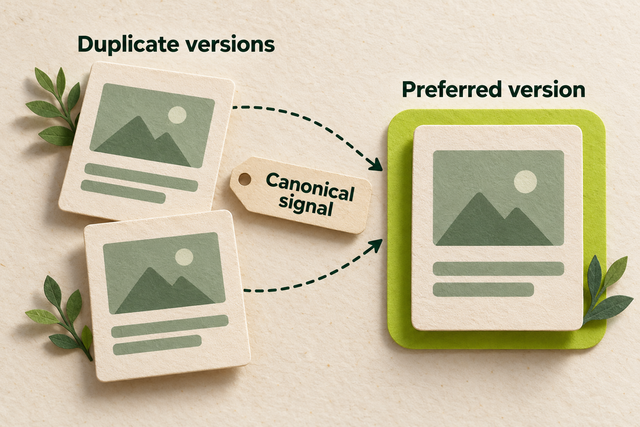
Two duplicate page cards point with dashed canonical-signal arrows to a highlighted preferred version.
Original illustration: canonical signals identify a preferred version among duplicates.
Your working checklist

Work through the checklist

Click a square to mark a task as Pass. Click again to undo. Use the result menu for a problem, a blocker or a task that does not apply. You do not need to enter notes.

14 checks

Choose a Representative for Each Duplicate Group

A canonical preference identifies a representative for duplicate or very similar content. Start with what the pages actually contain, then choose the address you want to keep consistent across your site.

Group URLs by their actual main content

Separate true duplicates from pages that deserve their own identity.

Use this for: Public pages with known or suspected duplicate URL variants.

List likely variants from your CMS or crawler, such as a clean guide address and its tracking version. Open the pages side by side and compare the main text, products or service details. Shared menus and a similar title do not make two pages duplicates.

For a large site, use your crawler’s duplicate findings to select candidate groups, then confirm representative examples yourself. Keep a genuinely different product, guide or language version outside a group unless its main content is actually equivalent.

Example

Hypothetical example: A tracking version of the clay-pot guide repeats the whole guide. A glazed-pot care guide answers a different task, so it stays in its own group.

  1. Collect candidate variants from your CMS, links or crawl report.
  2. Open the pages and compare their main content and purpose.
  3. Group equivalent versions and keep meaningfully different pages separate.
More help and optional notesMedium · SEO lead and content editor
PassEach reviewed group contains equivalent or very similar main content, with distinct pages separated.
FailUnrelated or meaningfully different pages are grouped merely because their URL patterns look similar.

If it fails: Correct the grouping before assigning a canonical target.

Retest: Reopen the disputed pages and compare the content that justifies the decision.

Not applicable: No URLs in the stated scope.

Keep in mind: A crawler similarity flag is a candidate for review, not a canonical decision by itself.

Optional: the URL you checked, what you found and the next action. Keep confidential data out of shared exports.

No result recorded yet.

Changing this result updates your checkmark and progress immediately. Notes are optional.

Choose the URL that should represent each group

Give each duplicate group one clear intended destination.

Use this for: Confirmed duplicate groups.

Choose the stable public address that best represents the group’s content. Confirm the exact protocol, hostname, path and required parameters. Use the real preferred destination after existing redirects, rather than inventing a cleaner address that has no working page.

In your CMS, find the page’s SEO or advanced canonical setting, or give the intended address to the developer who owns the template. Agree on this choice before updating declarations, internal links or the sitemap. A canonical preference helps Google interpret the group but does not control its decision.

Example

Hypothetical example: Both /guides/clay-pot-care/ and its email-tracking version show the same guide. Select the clean, established guide URL as the group’s representative.

  1. Choose the representative using the group’s actual content and site structure.
  2. Confirm the exact public URL and its responsible CMS/template setting.
  3. Use that address as the reference for the remaining audit checks.
More help and optional notesMedium · SEO lead and content editor
PassOne intended representative is chosen and resolves to the relevant existing content.
FailNo representative is agreed, or the chosen address is unrelated or does not exist.

If it fails: Choose a supported, relevant destination with the content owner and developer.

Retest: Open the agreed address and compare it with the group again.

Not applicable: No URLs in the stated scope.

Optional: the URL you checked, what you found and the next action. Keep confidential data out of shared exports.

No result recorded yet.

Changing this result updates your checkmark and progress immediately. Notes are optional.

Decide whether the duplicate should remain accessible

Use a canonical or redirect according to what visitors need.

Use this for: Duplicate or superseded pages whose intended behavior is being decided.

Ask whether people still need the duplicate URL to load separately. A tracking or printable variant may need to remain accessible while declaring the representative. An obsolete address that has permanently moved usually needs a permanent redirect to the relevant replacement.

Do not use a canonical tag to send visitors elsewhere; it does not navigate their browser. Do not point an unrelated retired page at the homepage simply to clear an audit warning. Have the technical owner apply the chosen method to the specific URL group.

Example

Hypothetical example: A printable guide still helps customers and stays available with the guide as its representative. An old guide slug that has been replaced redirects to the new guide.

  1. Decide whether visitors need the alternate address to remain usable.
  2. Choose a canonical preference for an accessible duplicate or an appropriate redirect for a permanent move.
  3. Test the resulting visitor behavior and the declared destination.
More help and optional notesHigh · SEO lead and developer
PassThe chosen method matches the page’s purpose and leads to an equivalent representative or replacement.
FailA canonical is mistaken for visitor redirection, or an unrelated destination is used.

If it fails: Implement the appropriate canonical or redirect behavior for that specific page.

Retest: Visit the old and preferred addresses and inspect their actual behavior.

Not applicable: No duplicate or moved address needs a method decision.

Optional: the URL you checked, what you found and the next action. Keep confidential data out of shared exports.

No result recorded yet.

Changing this result updates your checkmark and progress immediately. Notes are optional.

Inspect the Canonical Your Pages Actually Send

Canonical settings matter only when the published page sends the intended value. Check the HTML, response headers and rendered page separately to find competing sources of the declaration.

Check the canonical in the HTML head

Read the actual preferred URL sent by the page.

Use this for: HTML pages using or needing an explicit canonical in the source.

Open a page and choose View page source in your browser. Search for rel="canonical" and read the complete href. The canonical link belongs inside a valid head element and should name the intended absolute public URL. A fragment such as #details is not a separate canonical page.

Compare the declaration with your group decision. If it is missing where you want an explicit preference in the source, add it through the CMS canonical field or template. If several HTML declarations compete, remove the extra generator rather than adding another tag.

If the application deliberately adds its only canonical with JavaScript, use the rendered-canonical check below. A missing source tag is not an automatic failure for that supported implementation.

Example

Hypothetical example: A copied product template still names /products/old-planter/ on the new planter page. Correct the page’s canonical field instead of copying the same tag again.

  1. View the published page source and locate its canonical link.
  2. Check its head placement, complete address and agreement with the chosen target.
  3. Correct missing, malformed or competing HTML output at its CMS/template source.
More help and optional notesHigh · SEO lead and developer
PassThe HTML contains the intended valid head declaration without competing targets.
FailThe declaration names the wrong URL, is invalid/outside head, or an intended source declaration is absent.

If it fails: Fix the CMS canonical value or the template that outputs the link.

Retest: Reload the source and compare the published value with the decision.

Not applicable: The resource intentionally uses only an HTTP Link canonical, a supported JavaScript-only declaration checked in the rendered-canonical task, or no explicit declaration.

Keep in mind: A missing canonical is not proof of an indexing failure; Google can select a representative without an explicit declaration.

Optional: the URL you checked, what you found and the next action. Keep confidential data out of shared exports.

No result recorded yet.

Changing this result updates your checkmark and progress immediately. Notes are optional.

Check HTTP headers for a competing canonical

Find declarations hidden outside the page source.

Use this for: HTML pages and non-HTML resources included in a canonical audit.

In Chrome Developer Tools → Network, reload the page and select the main document request. In Headers → Response Headers, look for a Link header containing rel="canonical". Compare its target with the HTML declaration and the intended group representative.

An HTTP Link canonical can also serve a non-HTML file such as a PDF. If HTML and HTTP methods are both used, keep their targets consistent; choosing one implementation is easier to maintain. A header added by the host or CDN may explain a conflict that the CMS field cannot fix.

Example

Hypothetical example: The HTML names the current guide but the server’s Link header still names an old PDF. Ask the server owner to remove or correct that header.

  1. Read the main resource’s response headers in Network.
  2. Compare any canonical Link target with the HTML value and intended target.
  3. Correct the responsible server/CDN rule when declarations compete.
More help and optional notesHigh · SEO lead and developer
PassAny HTTP canonical agrees with the intended representative, and no header conflicts with HTML.
FailThe response header names an unintended target or contradicts the HTML declaration.

If it fails: Correct or remove the incorrect HTTP canonical rule; retain one consistent implementation where possible.

Retest: Fetch the resource again and inspect the new response headers.

Not applicable: No URLs in the stated scope.

Keep in mind: The absence of a Link header is normal when the page uses a valid HTML canonical.

Optional: the URL you checked, what you found and the next action. Keep confidential data out of shared exports.

No result recorded yet.

Changing this result updates your checkmark and progress immediately. Notes are optional.

Compare the canonical before and after rendering

Catch script or template changes that alter the preference.

Use this for: Pages whose templates or JavaScript can affect head metadata.

Compare View page source with Chrome Developer Tools → Elements. In Elements, expand head and find the canonical link after the page has loaded. On a JavaScript site, navigate to a second page through the site and inspect that page’s head as well as loading it directly.

The rendered page should keep the intended target without adding a second conflicting link. Prefer a correct declaration in the initial HTML that scripts leave alone. If the application must add the canonical with JavaScript, it should create one clear correct declaration rather than compete with an existing wrong one.

Example

Hypothetical example: The server sends the guide’s correct URL, but a shared script replaces it with the homepage after loading. Fix that script and test another guide using the same layout.

  1. Compare the source canonical with the rendered head in Elements.
  2. On a client-routed site, test both direct loading and internal navigation.
  3. Fix the component or script that changes or duplicates the declaration.
More help and optional notesHigh · SEO lead and developer
PassThe rendered declaration consistently matches the intended page after direct load and relevant navigation.
FailRendering changes the target, retains the previous page’s value or creates conflicting declarations.

If it fails: Fix the metadata component or route update so the intended canonical remains consistent.

Retest: Repeat direct loading and internal navigation for the affected template.

Not applicable: No rendering-dependent metadata is used and published output has already been confirmed static.

Keep in mind: Your browser’s output is a live check, not evidence of Google’s eventual canonical selection.

Optional: the URL you checked, what you found and the next action. Keep confidential data out of shared exports.

No result recorded yet.

Changing this result updates your checkmark and progress immediately. Notes are optional.

Test the Target and Align Supporting Signals

The preferred target should work as a real public page. Then align the links and sitemap you control with that decision, without removing valid alternative content merely to make a report look clean.

Open the canonical target and check its response

Verify the destination actually supplies the intended content.

Use this for: Every declared canonical target in the reviewed sample.

Copy the declared target into a private browser window. In Chrome Developer Tools → Network, reload and inspect the main document’s status and response. For an ordinary public page, expect a direct 200 response with its real content, not a redirect, login challenge or not-found message.

If the target redirects, inspect the final page and decide whether the declaration should use that final address. If the target fails or serves unrelated content, repair it or choose the correct representative before changing every duplicate.

Example

Hypothetical example: A guide points to /care-guide/, which redirects to /guides/plant-care/. After confirming the final guide is the intended equivalent, use its direct URL in the declaration.

  1. Open the exact declared target without a signed-in session.
  2. Read the first response, final destination and page content.
  3. Repair the target or update the declaration to the correct direct destination.
More help and optional notesHigh · SEO lead and developer
PassThe target directly serves the intended public content with a successful response.
FailThe target redirects unexpectedly, errors, requires login or serves the wrong content.

If it fails: Repair target delivery or point the declaration directly to the intended working page.

Retest: Fetch the updated target and confirm the response and content.

Not applicable: No URLs in the stated scope.

Optional: the URL you checked, what you found and the next action. Keep confidential data out of shared exports.

No result recorded yet.

Changing this result updates your checkmark and progress immediately. Notes are optional.

Check that the preferred target is eligible for indexing

Find restrictions that contradict the chosen representative.

Use this for: Canonical targets intended to appear in search.

On the preferred target, search its HTML source for robots and googlebot meta tags. In Network → Headers, check X-Robots-Tag. Look for an unintended noindex. Then check the applicable robots.txt rules or use Search Console’s live test to review whether Google can fetch the page.

If the chosen public representative is accidentally excluded, repair the responsible setting and retest. Keep deliberate restrictions on private or intentionally excluded pages; choose a suitable public representative instead. Technical eligibility does not prove the page is indexed.

Example

Hypothetical example: A product guide is selected as canonical, but its template inherited noindex from an old test page. Remove that accidental exclusion from the public guide template and check its response again.

  1. Check the target’s HTML and response-header indexing directives.
  2. Check fetch access for the target using the applicable crawl rules or live inspection.
  3. Repair unintended restrictions or select an appropriate public target.
More help and optional notesHigh · SEO lead and developer

Before you begin: Developer help or Search Console access if crawl-rule interpretation is unclear.

PassThe reviewed target can be fetched and has no detected directive that excludes its intended search appearance.
FailAn unintended crawl block or noindex contradicts the public representative decision.

If it fails: Correct accidental restrictions at their source without weakening intended privacy controls.

Retest: Repeat the directive and access checks on the same target.

Not applicable: No URLs in the stated scope.

Keep in mind: Missing access or uncertain rule interpretation is Blocked; do not infer a pass.

Optional: the URL you checked, what you found and the next action. Keep confidential data out of shared exports.

No result recorded yet.

Changing this result updates your checkmark and progress immediately. Notes are optional.

Remove canonical chains and loops

Make duplicate declarations point directly to the final representative.

Use this for: Duplicate groups with multiple canonical or redirect hops.

Open the target named by a duplicate’s canonical and inspect that target’s own declaration. If it points to another URL, follow the sequence until you find the intended representative or return to an address already visited. A redirect within the sequence also needs review.

Ask the developer to point each reviewed duplicate directly to the agreed representative. For larger crawls, Screaming Frog → Reports → Canonicals → Canonical Chains lists chains and loops; verify the example URLs before applying a broad template change.

Example

Hypothetical example: Page A names B, while B names C. If C is the agreed representative, update A and B to name C directly and check that C does not point back.

  1. Follow the declaration from the source through each target.
  2. Identify the intended final representative and any cycle.
  3. Replace indirect or circular references and fetch the group again.
More help and optional notesHigh · SEO lead and developer
PassEvery reviewed duplicate points directly to the intended representative without a chain or loop.
FailDeclarations form an indirect chain, cycle or conflicting redirect sequence.

If it fails: Update the originating canonical fields and any incorrect redirect to the agreed final URL.

Retest: Follow the same group again and verify that each declaration terminates consistently.

Not applicable: No indirect or circular sequence exists; the check can pass after direct references are confirmed.

Optional: the URL you checked, what you found and the next action. Keep confidential data out of shared exports.

No result recorded yet.

Changing this result updates your checkmark and progress immediately. Notes are optional.

Match the sitemap to the canonical decision

Keep the site’s discovery list consistent with its page declarations.

Use this for: Duplicate groups represented in an XML sitemap.

Open the sitemap and relevant child file. Search for the preferred URL and known duplicate variants. For the reviewed group, list the intended representative rather than competing versions of the same content.

When a listed URL declares another canonical, compare both with your decision before editing. The sitemap can be correct while a copied page template is wrong. Fix the incorrect generator or declaration, then read the published output again.

Example

Hypothetical example: The sitemap lists the correct product page, but a reused template names another product as canonical. Repair the template; do not remove the correct product from the sitemap to hide the disagreement.

  1. Find the group’s representative and variants in the sitemap inventory.
  2. Compare membership with the intended and declared canonical.
  3. Correct the inconsistent source and check the regenerated output.
More help and optional notesMedium · SEO lead and developer
PassReviewed sitemap entries and declarations agree with the intended representative.
FailThe sitemap favors a conflicting version or the page’s declaration contradicts the intended listed URL.

If it fails: Fix the incorrect sitemap rule or canonical template according to the group decision.

Retest: Recheck the exact entry and live page declaration.

Not applicable: The site does not use a sitemap.

Optional: the URL you checked, what you found and the next action. Keep confidential data out of shared exports.

No result recorded yet.

Changing this result updates your checkmark and progress immediately. Notes are optional.

Compare Google’s Selection and Retest the Repair

Your declaration and Google’s selected canonical are different facts. Read the indexed record with its crawl date, then separate current implementation defects from decisions that need a later recrawl or a closer content comparison.

Compare declared and Google-selected canonicals

Check the search-engine record instead of guessing from a live tag.

Use this for: Published URLs with Search Console canonical data.

In Search Console → URL Inspection, inspect the exact source URL and expand Page indexing. Read User-declared canonical, Google-selected canonical and Last crawl. Compare the reported targets with your intended representative and the date of any recent change.

Use the indexed data for the selected canonical. Test live URL can check current output but cannot predict the canonical Google will select. An alternate page that selects the intended representative can be behaving correctly; it need not be indexed as a separate page.

Example

Hypothetical example: A tracking URL declares the clean guide and Google selects that clean guide. That is the intended group behavior, even though the tracking address is not separately indexed.

  1. Inspect the source URL’s indexed Page indexing record.
  2. Compare both canonical fields and the crawl date with your decision.
  3. Keep a matching decision separate from an older or unavailable record.
More help and optional notesHigh · SEO lead and developer

Before you begin: Search Console access for the inspected URL.

PassThe available indexed record selects the intended representative for the reviewed group.
FailA current indexed record selects an unintended representative that needs investigation.

If it fails: Investigate the alternate selection and current signals before changing the preference.

Retest: Check a later indexed record after any repair; do not substitute a live test.

Not applicable: No URLs in the stated scope.

Keep in mind: If selection is unavailable or the record predates a relevant repair, the outcome is unconfirmed rather than a pass or automatic failure.

Optional: the URL you checked, what you found and the next action. Keep confidential data out of shared exports.

No result recorded yet.

Changing this result updates your checkmark and progress immediately. Notes are optional.

Investigate an unexpected selected URL

Find the specific mismatch before rewriting canonical rules.

Use this for: Unexpected Google-selected canonicals requiring investigation.

Open the intended page and the unexpected selected URL. Compare their main content and current delivery. Then compare their declarations, redirects, internal links and sitemap entries. Check whether a shared template, wrong host or failed content request caused several pages to return the same material.

If the pages serve genuinely different purposes, identify the substantive information that distinguishes them and verify that it is present in the fetched/rendered page. If they are effectively duplicates, reconsider whether Google’s representative is reasonable. Do not make superficial word changes just to evade grouping.

Example

Hypothetical example: Two service pages accidentally return the same fallback content after a data failure. Restore each service’s intended content, then retest delivery and review a later indexed record.

  1. Compare the current intended and selected pages side by side.
  2. Check content delivery and conflicting technical signals for a concrete cause.
  3. Repair the cause or revise the group decision, then request/review an appropriate recrawl.
More help and optional notesHigh · SEO lead and developer
PassA specific supported cause or defensible group decision is established and the next repair is clear.
FailThe diagnosis assumes the tag alone controls selection or changes unrelated pages without checking the mismatch.

If it fails: Resolve the observed content or technical conflict rather than repeatedly re-entering the same tag.

Retest: Retest the changed condition and inspect a newer Google record separately.

Not applicable: No unexpected selected canonical is being investigated.

Keep in mind: This is a diagnosis task. A clear repair plan does not establish that Google has changed its selection.

Optional: the URL you checked, what you found and the next action. Keep confidential data out of shared exports.

No result recorded yet.

Changing this result updates your checkmark and progress immediately. Notes are optional.

Retest the changed template and duplicate group

Confirm the live repair without losing sight of the later search decision.

Use this for: Published repairs to canonical settings or related signals.

After the fix is published, repeat the exact check that failed. Review the changed duplicate, its preferred target and another page using the same template. Include a genuinely different page so a broad rule does not accidentally collapse unrelated content.

Confirm the current source, headers, rendered declaration and relevant links or sitemap output. If a Google selection mismatch was involved, retain it as a separate pending outcome until a newer indexed record is available. Request indexing for an important repaired URL when appropriate, without expecting immediate selection or indexing.

Example

Hypothetical example: A template no longer points every guide to the homepage. Retest the affected guide, its tracking variant and a different guide before calling the live repair complete.

  1. Repeat the original failed test after the change is public.
  2. Check the representative, its duplicate and a distinct control page.
  3. Review Google’s later indexed record separately when selection was the issue.
More help and optional notesHigh · SEO lead and developer
PassThe original live defect is corrected and relevant control pages retain their intended behavior.
FailThe defect persists or the shared change introduces an incorrect canonical on another page.

If it fails: Repair the remaining template or signal conflict and repeat the same test set.

Retest: Repeat current-output checks, then compare the later indexed record if needed.

Not applicable: No canonical-related repair has been published.

Keep in mind: Passing this check confirms the live repair, not Google’s eventual selection.

Optional: the URL you checked, what you found and the next action. Keep confidential data out of shared exports.

No result recorded yet.

Changing this result updates your checkmark and progress immediately. Notes are optional.

Reset this checklist?

This removes saved statuses, evidence and result dates for the checks on this page. Other checklists keep their records. Export a CSV first if you need a copy.

A useful result, every time

Check a task. Choose a result.

This is a manual SEO workflow. It helps you decide what to investigate and keep a usable record. It does not crawl your website or verify your answers automatically.

  1. Choose your scope. Pick the relevant task group and representative pages you are authorized to inspect.
  2. Run the stated check. Follow the steps, then choose your result. Click the square for Pass, or use the result menu for another status. You do not need to type anything.
  3. Assign the next action. Fix a problem when you can, or ask the right person for help. Optional notes can remind you what to do next. Check the result again after a fix.

What your progress means

Review progress counts passes and failures against applicable checks. Failed work still counts as reviewed. Blocked and untested checks remain unfinished. This is not an SEO score.

Untested
You have not checked this yet.
Pass
You checked it and it works as described.
Fail
You checked it and found something to fix.
Blocked
You need access, information or someone’s help.
Not applicable
This task does not apply to your website.

Export CSV downloads the checks currently shown and any optional notes. Print expands the instructions for that view. Saved results stay in this browser; there is no account sync.

Apply the workflow

How Should You Handle Special Canonical Cases?

Apply the same content-first decision to self-references, another domain and paginated collections, then keep the intended and observed results separate.

How Do You Check Self-Referencing Canonicals?

A self-referencing canonical names the preferred page’s own URL. Open that page directly, compare its final address with its head declaration and check that the exact protocol, hostname and path agree. Google recommends this explicit self-reference, although a missing tag alone does not make a page ineligible for search.

Check a clean page and a tracking variant as a pair. In a hypothetical example, /guides/clay-pot-care/ names itself, while /guides/clay-pot-care/?campaign=autumn names the clean guide. A template that blindly copies every requested parameter into a self-canonical would give each tracking variant a separate preference.

Keep meaningful parameters when they identify a distinct page. The correct target follows the content decision, not a rule to remove everything after a question mark.

What Should a Cross-Domain Canonical Audit Check?

A cross-domain canonical audit checks why a page names another website as its representative. Open the declared destination, compare its main content with the source and confirm that the relationship and target are intentional. A leftover staging domain or an unexpected external host needs investigation with the site owner.

For an intentional equivalent copy, check the destination’s accessibility, declarations and the agreed representative across both sites you can review. A cross-domain hint does not prove ownership or guarantee which site Google will select. If you cannot verify the other site’s settings, record the limit instead of assuming alignment.

Syndication needs a separate decision. If the goal is to keep a partner’s republished copy out of Google, Google recommends that the partner block indexing of that copy; it does not recommend relying on a canonical link for that outcome. Agree the intended publishing arrangement before requesting changes.

Which Canonical Should Paginated Pages Use?

Paginated pages should normally have distinct URLs and their own canonical references. Open page two directly and compare its items with page one. When it shows the next set of products or articles, it is a separate component page; do not point every page in the sequence to page one.

In a hypothetical collection, /planters/?page=2 shows the next group of planters and declares that page-two URL. A sorting variant that presents equivalent content is a different decision from a page containing different items. Check the actual content before applying one parameter rule to both.

After correcting the template, load page two and a later page directly, then follow the next-page links. Canonical markup does not replace a working link path to the later items.

How Do You Keep a Duplicate-Group Decision Log?

A duplicate-group decision log keeps the intended representative, published declaration and dated Google selection in separate columns. This makes a correct alternate distinguishable from an implementation error or an older search-engine record.

The examples are hypothetical. Reuse the blank-format row in a spreadsheet or your own project notes. The checklist’s CSV export saves the displayed checks and optional notes; it does not crawl pages or retrieve Search Console records.

Hypothetical duplicate-group decisions and a reusable review format.
Source / groupIntended representativeLive declarationIndexed selection / date contextDecision and next check
Guide with campaign parameterClean guideClean guideClean guide; current recordIntended alternate; keep consistent links.
New guide copied from old templateNew guide itselfOld guideOld guide; predates repairFix template, retest live, then inspect a newer record.
Collection page twoPage two itselfPage oneSelection not availableFix the pagination declaration; keep selection unconfirmed.
Your exact source and variantsChosen representativeHTML / header / rendered valueSelected URL and last crawl, or unavailableIntentional / live defect / pending / unknown; next action.

Which Checklist Helps Resolve a Canonical Conflict?

Choose the next checklist from the failed condition. Keep the duplicate-group decision here and use the specialist workflow for the actual implementation problem.

A clear process, with honest limits.

Follow the steps, choose the result that matches what you found, and check again after changes. Notes are optional. A completed check does not guarantee indexing, traffic or rankings. How the checklists work.