
Specialist SEO checklist

Ecommerce SEO Checklist

An ecommerce SEO checklist helps you build a store that shoppers and search engines can understand. Organize real products into useful categories, write accurate buying information, connect the catalog through working links, and configure discovery, variants and stock changes. If you need to diagnose an existing problem first, use the separate ecommerce SEO audit.

Free to useNo account neededSaved in your browser
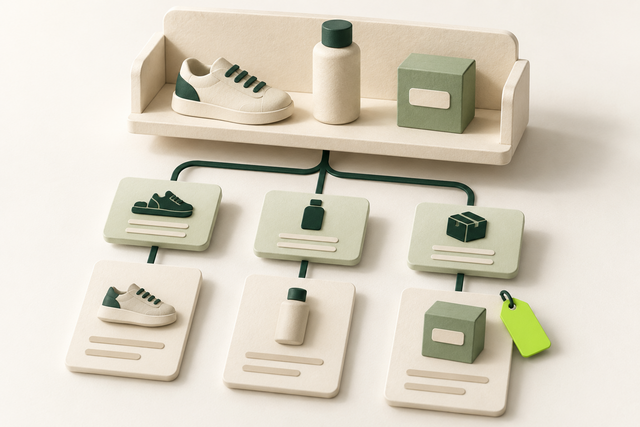
Store categories connected to product cards and an inventory tag in a coherent shopping structure.
An editorial illustration
Your working checklist

Work through the checklist

Click a square to mark a task as Pass. Click again to undo. Use the result menu for a problem, a blocker or a task that does not apply. You do not need to enter notes.

13 checks

Build a useful store structure

Organize the real assortment around shopping needs, with separate roles for categories, products and buying advice.

Match shopping queries to the right page type

Build pages that fit what shoppers need.

Use this for: Stores planning or improving search landing pages.

List the actual product range and the questions buyers ask. Inspect search results for relevant phrases in your target market, then assign browsing needs to categories, specific items to product pages and advice to guides. Use existing pages when they already fulfill the task. Do not create a new landing page for every keyword variation.

Example

Illustrative map: “bicycle panniers” fits a category, a named pannier model fits its product, and “how to choose a pannier rack” fits a guide. These are intent examples, not measured demand claims.

  1. Start with the real assortment and buyer questions.
  2. Compare observed result types.
  3. Assign a useful destination for each distinct need.
More help and optional notesHigh · SEO and merchandising lead

Before you begin: The actual assortment, buyer questions and relevant target-market search observations.

PassEvery planned page has a clear task and actual supporting products or expertise.
FailInterchangeable pages target phrase variants without a different useful answer.

If it fails: Merge overlapping plans or create the genuinely missing page type.

Retest: Compare the page map with the customer task and catalog.

Not applicable: The page type or feature described is not used on this site.

Optional: affected URL, change made and next check. Keep confidential data out of shared exports.

No result recorded yet.

Changing this result updates your checkmark and progress immediately. Notes are optional.

Create categories that help shoppers choose

Give useful product groups a stable home.

Use this for: Search-facing product categories.

In the commerce editor, create or refine categories around meaningful product types, uses or compatibility. Assign appropriate products, give the category a clear name and add a short introduction explaining the selection. Keep the product grid easy to reach. A category needs a useful range and purpose, not a fixed product count or word quota.

Example

Illustrative category “Waterproof Bicycle Panniers” contains only items whose documented water-resistance matches that promise, with a short explanation of mounting and capacity choices.

  1. Define the category’s inclusion rule.
  2. Assign relevant products and write the introduction.
  3. Preview the grid and useful buying guidance.
More help and optional notesHigh · Merchandiser

Before you begin: Catalog editing access, product facts and a defined category inclusion rule.

PassThe name, introduction and displayed products describe the same shopping need.
FailThe category promises an assortment it does not contain or repeats another page without value.

If it fails: Fix product assignments and category scope before expanding copy.

Retest: Browse the category and choose a suitable product from its guidance.

Not applicable: The page type or feature described is not used on this site.

Optional: affected URL, change made and next check. Keep confidential data out of shared exports.

No result recorded yet.

Changing this result updates your checkmark and progress immediately. Notes are optional.

Connect departments, categories and products

Provide a crawlable browsing path.

Use this for: Public categories and products.

Edit the store’s navigation and category templates so relevant departments link to categories and those listings link to the products they contain. Use descriptive text links with real destinations. Add useful breadcrumbs and related-category links where they help orientation. Do not rely on the search box as the only way to find products.

Example

Illustrative path: Cycling → Bicycle Bags → Panniers → the chosen product. A rack-compatibility guide can link to the matching category at the point where it becomes useful.

  1. Add the main shopping destinations to navigation.
  2. Ensure category grids link to their products.
  3. Test the complete path at desktop and phone widths.
More help and optional notesHigh · Store editor and developer

Before you begin: Published categories/products and permission to edit navigation and listing templates.

PassImportant products are reachable through clear working links.
FailA product requires internal search or a guessed URL to be found.

If it fails: Repair category assignment, listing links or menu destinations.

Retest: Follow the public browsing path and inspect that links have href destinations.

Not applicable: The page type or feature described is not used on this site.

Optional: affected URL, change made and next check. Keep confidential data out of shared exports.

No result recorded yet.

Changing this result updates your checkmark and progress immediately. Notes are optional.

Write useful category and product pages

Make each page’s title, content and images describe the actual range or item.

Write accurate ecommerce titles and descriptions

Set a clear search promise for each page.

Use this for: Important category and product landing pages.

Open the category or product’s SEO title and meta description fields in your commerce editor. Name the real category or model and a useful distinguishing attribute where relevant. Write a description that previews the actual selection or buying information. The product name, visible H1 and SEO title may use separate controls, so preview all three. Search engines can show different title or snippet text.

Example

Illustrative category title: “Waterproof Bicycle Panniers | Example Cycle Store.” Description: “Compare pannier capacities, mounting options and weather protection, then check the details for your bike rack,” if the page supports that comparison.

  1. Edit the correct page’s SEO fields.
  2. Check the visible title and main heading.
  3. Save and inspect the public title and description.
More help and optional notesHigh · Store editor

Before you begin: Category/product SEO field access and the verified facts shown on each landing page.

PassMetadata is distinct, truthful and consistent with the page.
FailBoilerplate or unsupported discounts appear across unrelated products.

If it fails: Correct page fields and any default template that introduces the problem.

Retest: View page source and search for title and name="description".

Not applicable: The page type or feature described is not used on this site.

Optional: affected URL, change made and next check. Keep confidential data out of shared exports.

No result recorded yet.

Changing this result updates your checkmark and progress immediately. Notes are optional.

Explain the product’s use, specifications and limits

Answer questions that matter before buying.

Use this for: Individual product pages.

In the product editor, write a clear opening explaining what the item does, then add verified dimensions, materials, compatibility, included parts and relevant limitations. Use headings such as “Rack compatibility” and “What is included” when they help. Preserve accurate manufacturer specifications, but add your own useful explanation rather than rewriting facts for novelty.

Example

Illustrative pannier page: explain how its mounting system attaches, which rack-tube dimensions it supports and whether the bag is sold singly. Never invent waterproof testing or a customer testimonial.

  1. Gather verified product facts.
  2. Write the use case and decision-critical details.
  3. Check the published sections and unanswered buyer questions.
More help and optional notesHigh · Product content editor

Before you begin: Current verified specifications, compatibility and fulfillment information plus product-editor access.

PassA shopper can assess suitability using accurate product information.
FailEssential compatibility is missing or unsupported performance claims appear.

If it fails: Add the verified missing details and remove invented claims.

Retest: Compare the page against the current product specification and catalog.

Not applicable: The page type or feature described is not used on this site.

Optional: affected URL, change made and next check. Keep confidential data out of shared exports.

No result recorded yet.

Changing this result updates your checkmark and progress immediately. Notes are optional.

Prepare product images that explain the item

Show useful detail without unnecessary image weight.

Use this for: Product and category imagery.

Choose accurate product images showing the item, important details and scale where needed. Resize to the intended display and zoom requirements, compress while preserving detail, then upload to the product media fields. Describe informative images in alt text and verify that the correct image follows each variant. Check the final result on mobile.

Example

Illustrative alt: “Blue rear bicycle pannier showing the roll-top closure.” An image of a black variant must not appear as proof of the selected blue item.

  1. Select meaningful accurate views.
  2. Resize and compress, then upload.
  3. Set suitable alt text and check the displayed variant.
More help and optional notesHigh · Catalog editor

Before you begin: Rights to accurate product media, display/zoom requirements and catalog media access.

PassImages are clear, accurate, appropriately sized and meaningfully described.
FailThe wrong variant appears or oversized files slow a simple product view.

If it fails: Replace or optimize the media and correct its variant assignment.

Retest: Inspect public images, alt text and loading at phone width.

Not applicable: The page type or feature described is not used on this site.

Optional: affected URL, change made and next check. Keep confidential data out of shared exports.

No result recorded yet.

Changing this result updates your checkmark and progress immediately. Notes are optional.

Make variant URLs and offers agree

Keep product choices reproducible.

Use this for: Products with selectable variants.

Configure size, color or capacity options in the catalog and test direct links to selected variants. Use stable paths or query parameters that reproduce the intended selection. For a single-page variant design, the base product is commonly the canonical; a multipage design needs its own deliberate treatment. Ask a developer to align URL, canonical and ProductGroup output with the actual model.

Example

Illustrative test: reopen the blue, large pannier’s copied URL and confirm its options, photo, price and availability. A #blue fragment alone does not create a distinct indexable product page.

  1. Configure genuine options and identifiers.
  2. Test direct entry to each important selection.
  3. Align URL and structured-data behavior with the page model.
More help and optional notesHigh · Catalog developer

Before you begin: Product variant facts and a developer responsible for the chosen URL and structured-data model.

PassShared variant links open the correct selection and consistent offer.
FailThe link reopens a different option or structured data describes another variant.

If it fails: Repair catalog mappings, selector logic or model-specific canonical output.

Retest: Retest variants in a fresh session and validate the product output.

Not applicable: The page type or feature described is not used on this site.

Optional: affected URL, change made and next check. Keep confidential data out of shared exports.

No result recorded yet.

Changing this result updates your checkmark and progress immediately. Notes are optional.

Set discovery and indexing rules for the store

Control the URLs the store creates without hiding useful products or confusing crawl rules with privacy.

Set a deliberate policy for filters and sorting

Avoid producing endless weak search pages.

Use this for: Stores exposing filter or sort URLs.

Before exposing every filter combination, decide which selections deserve maintained landing pages. Give those a useful assortment, stable URL and relevant links. For the remaining sorting and filter space, have the developer scope crawl controls to the actual parameter patterns. Use noindex when exclusion from indexing is the goal and the directive can be crawled; robots rules alone do not guarantee removal.

Example

Illustrative distinction: a useful child category for waterproof panniers can stay indexable, while arbitrary color × price × sort combinations serve the shopper without becoming an unlimited landing-page plan.

  1. Choose any valuable stable filtered landing pages.
  2. Separate sort and low-value filter URL patterns.
  3. Implement and test the narrow crawl/index policy.
More help and optional notesHigh · Developer and SEO owner

Before you begin: The actual filter/sort URL patterns, valuable landing-page decisions and developer access to their rules.

PassUseful landing pages remain accessible and unnecessary URL combinations are controlled.
FailA blanket parameter block hides needed products or filters create unlimited index targets.

If it fails: Refine the generation and directive rules with a developer.

Retest: Open useful, duplicate and empty combinations and check their final behavior.

Not applicable: The page type or feature described is not used on this site.

Optional: affected URL, change made and next check. Keep confidential data out of shared exports.

No result recorded yet.

Changing this result updates your checkmark and progress immediately. Notes are optional.

Provide reachable later category pages

Let shoppers and crawlers reach the whole assortment.

Use this for: Categories longer than one result batch.

Configure the category template with real links to later result pages even when the interface uses load more or infinite scroll. Each paginated page needs its own address and appropriate self-canonical, rather than declaring page one as the canonical for every batch. Keep product links available in the rendered content.

Example

Illustrative implementation: /panniers/?page=2 contains the next set of products and a working next-page link. A page-two product is reachable without typing into the store search.

  1. Check the listing’s later-page addresses.
  2. Provide sequential crawlable links.
  3. Verify page-specific canonicals and product links.
More help and optional notesHigh · Developer

Before you begin: A multi-batch category and developer access to the shared listing/pagination template.

PassLater products can be reached through stable linked result pages.
FailOnly scrolling or a click-handler reveals otherwise undiscoverable products.

If it fails: Fix pagination and rendering in the shared category template.

Retest: Follow and crawl through the later batches after release.

Not applicable: The page type or feature described is not used on this site.

Optional: affected URL, change made and next check. Keep confidential data out of shared exports.

No result recorded yet.

Changing this result updates your checkmark and progress immediately. Notes are optional.

Publish consistent canonical URLs and a current sitemap

Make preferred product and category URLs easy to discover.

Use this for: Public catalog URLs intended for search.

Choose the preferred live address for each intended landing page and configure canonical output consistently. Link internally to that address and include the intended canonical version in the sitemap. Open the generated sitemap, test sample URLs and submit it in Search Console. Exclude redirects and retired addresses from the current sitemap.

Example

Illustrative rule: the product grid and sitemap use the clean product address; campaign-tracking versions identify that same preferred page. Distinct translations and variant architectures need their own appropriate rules.

  1. Set canonical rules for actual URL classes.
  2. Align navigation and generated sitemap entries.
  3. Submit and inspect processing.
More help and optional notesHigh · Developer

Before you begin: Preferred catalog URLs, canonical/sitemap generator access and a verified Search Console property.

PassLinks, canonicals and sitemap entries agree on preferred live pages.
FailSitemaps list retired pages or a template points unrelated products at one canonical.

If it fails: Correct the generator and conflicting references.

Retest: Read rel="canonical" in page source and test sampled sitemap destinations.

Not applicable: The page type or feature described is not used on this site.

Optional: affected URL, change made and next check. Keep confidential data out of shared exports.

No result recorded yet.

Changing this result updates your checkmark and progress immediately. Notes are optional.

Generate truthful product markup and feed data

Use catalog facts consistently across discovery channels.

Use this for: Stores using product structured data or a Merchant Center feed.

Configure your platform’s product structured-data integration to use the real name, image, price, currency and stock fields. Use the merchant-listing requirements for pages where shoppers buy from you. Validate representative output with the Rich Results Test. If you use Merchant Center, map the same current offer and identifiers into the feed and review its product issues. Never invent ratings or identifiers.

Example

Illustrative acceptance test: the selected pannier’s visible price, structured-data Offer and feed value all refer to the same variant and currency. A missing optional enhancement is not permission to invent data.

  1. Map verified catalog fields to the integration.
  2. Test product and variant output.
  3. Compare feed and page facts after synchronization.
More help and optional notesHigh · Commerce developer

Before you begin: Truthful catalog identifiers/offers and access to the markup integration and any product feed.

PassRequired data is valid and material product facts agree across outputs.
FailAn integration emits stale offers, invented reviews or mismatched variants.

If it fails: Fix the source mapping and reprocess affected output.

Retest: Repeat the validator and any feed issue checks; display is not guaranteed.

Not applicable: The page type or feature described is not used on this site.

Optional: affected URL, change made and next check. Keep confidential data out of shared exports.

No result recorded yet.

Changing this result updates your checkmark and progress immediately. Notes are optional.

Keep the store accurate after launch

Plan catalog transitions and test the shopping journey whenever templates or inventory rules change.

Implement stockout and retirement rules

Keep unavailable products honest and useful.

Use this for: Products that change availability or leave the catalog.

Define what the storefront should do when an item is temporarily unavailable, returning seasonally or permanently retired. Keep useful temporary-stockout pages with accurate availability and sensible alternatives. When permanently removing a page, redirect only to a relevant replacement; otherwise return a proper not-found response and remove outdated navigation. Update offer data and feeds at the same time.

Example

Illustrative choices: retain a seasonal bag’s specifications while clearly unavailable; retire a discontinued accessory without sending its unrelated visitors to the homepage.

  1. Define the distinct inventory states.
  2. Configure messages, purchase controls and response rules.
  3. Synchronize links, offers and feeds.
More help and optional notesHigh · Merchandising and developer

Before you begin: Approved inventory/retirement rules and access to catalog, storefront and feed configuration.

PassEach stock transition preserves truthful information and appropriate URL behavior.
FailUnavailable items claim immediate purchase or every removed product redirects to the home page.

If it fails: Correct the inventory workflow and relevant replacement mapping.

Retest: Trigger or inspect a safe example of each state and compare all public outputs.

Not applicable: The page type or feature described is not used on this site.

Optional: affected URL, change made and next check. Keep confidential data out of shared exports.

No result recorded yet.

Changing this result updates your checkmark and progress immediately. Notes are optional.

Test the mobile journey and establish search monitoring

Catch release problems and observe real results.

Use this for: Launched or launch-ready store templates.

At phone width, browse a category, choose a product and variant, and inspect delivery and return information. Use a test mode where available and stop before any real purchase. Fix broken controls, obscured details and excessive image or script work. Then establish Search Console views for category and product groups so future comparisons use the same pages and market.

Example

Illustrative release check: a mobile filter drawer covers its Apply button. Repair the interface before measuring whether a new category introduction changes search performance.

  1. Complete the non-purchase mobile journey.
  2. Investigate specific rendering or performance problems.
  3. Save comparable category/product report views and recheck after releases.
More help and optional notesHigh · Frontend developer and SEO owner

Before you begin: Launch-ready store templates, a non-purchase testing route and Search Console access.

PassThe key mobile journey works and meaningful report segments are available.
FailBasic controls fail or results are judged from one undifferentiated traffic total.

If it fails: Repair the interface and define the relevant reporting segments.

Retest: Repeat the journey after fixes and compare search reports after new data accumulates.

Not applicable: The page type or feature described is not used on this site.

Optional: affected URL, change made and next check. Keep confidential data out of shared exports.

No result recorded yet.

Changing this result updates your checkmark and progress immediately. Notes are optional.

Reset this checklist?

This removes saved statuses, evidence and result dates for the checks on this page. Other checklists keep their records. Export a CSV first if you need a copy.

A useful result, every time

Check a task. Choose a result.

This is a manual SEO workflow. It helps you decide what to investigate and keep a usable record. It does not crawl your website or verify your answers automatically.

  1. Choose your scope. Pick the relevant task group and representative pages you are authorized to inspect.
  2. Run the stated check. Follow the steps, then choose your result. Click the square for Pass, or use the result menu for another status. You do not need to type anything.
  3. Assign the next action. Fix a problem when you can, or ask the right person for help. Optional notes can remind you what to do next. Check the result again after a fix.

What your progress means

Review progress counts passes and failures against applicable checks. Failed work still counts as reviewed. Blocked and untested checks remain unfinished. This is not an SEO score.

Untested
You have not checked this yet.
Pass
You checked it and it works as described.
Fail
You checked it and found something to fix.
Blocked
You need access, information or someone’s help.
Not applicable
This task does not apply to your website.

Export CSV downloads the checks currently shown and any optional notes. Print expands the instructions for that view. Saved results stay in this browser; there is no account sync.

Apply the workflow

How should you adapt the ecommerce SEO checklist to your store?

Use the page types and platform you actually have; deepen the workflow only where the catalog creates a real need.

Example: build a pannier category around a real assortment

A hypothetical cycle store has several pannier models with different capacities and rack mounts. Its category explains those choices and links to each relevant item. Individual product pages provide verified dimensions, compatibility, photographs and availability. A guide handles the separate question of choosing a rack.

The category does not need separate near-identical pages for every synonym. A genuinely useful filtered selection can become a maintained landing page, but arbitrary combinations remain part of the shopping interface.

Should you audit before implementing ecommerce SEO?

Audit first when you do not know why an established store has a problem. The audit compares observed templates, index states and search patterns; this checklist tells you how to build the required structure and content once the decision is clear.

For a new store, implement and test the appropriate tasks before launch, then collect a baseline. Neither a completed checklist nor valid product markup guarantees search visibility or sales.

Choose the next store workflow

Use the basic SEO checklist for shared website essentials. Choose the store audit for diagnosis or the Shopify checklist for Shopify-specific controls.

A clear process, with honest limits.

Follow the steps, choose the result that matches what you found, and check again after changes. Notes are optional. A completed check does not guarantee indexing, traffic or rankings. How the checklists work.