
Technical SEO · Supporting checklist

HTTP Status Code SEO Checklist

An HTTP status code SEO checklist is a technical audit workflow for comparing a URL’s response with the content and access it should provide. Check representative templates, inspect the actual document response, and separate correct removals from soft errors, accidental blocks and server failures. A 200 response is one part of successful delivery; it does not guarantee indexing.

Free to useNo account neededSaved in your browser
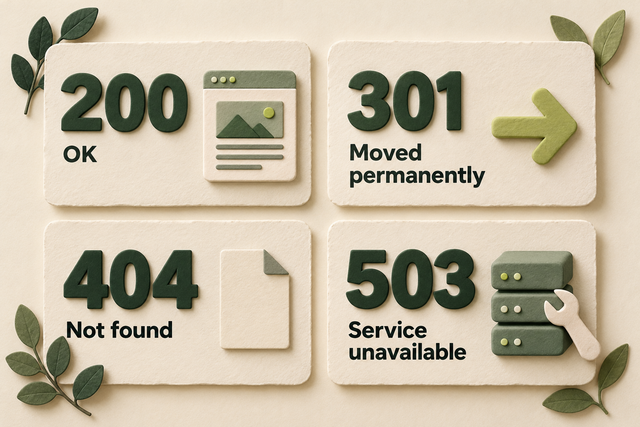
Four status-code tiles show 200 OK, 301 Moved permanently, 404 Not found, and 503 Service unavailable.
Original illustration: four common HTTP responses and their meanings.
Your working checklist

Work through the checklist

Click a square to mark a task as Pass. Click again to undo. Use the result menu for a problem, a blocker or a task that does not apply. You do not need to enter notes.

14 checks

Observe the Actual Page Response

Start with the URL and request you are testing. The page’s appearance, a sitemap entry and yesterday’s crawl report cannot establish today’s HTTP response.

Choose examples from each important page template

Find failures that a homepage-only test would miss.

Use this for: Any status-code review of a website or release.

List the page types your website actually uses, such as services, products, categories, articles and language versions. Select an important published example from each type, plus a recently changed page and a known removed page. Add the specific URLs reported as errors in your crawl or Search Console.

Write the intended state beside each example: live content, moved, missing, removed or private. An intentionally protected account page should not be judged against the same public-access test as a service page. For a larger review, use the template sample to interpret a broader crawl.

Example

Hypothetical example: The homepage and blog work, but every product page returns 500 after a catalog update. One product example would reveal the template-level fault.

  1. List the distinct templates and important reported problem URLs.
  2. Choose representative examples and state the intended behavior.
  3. Include changed, removed and deliberately private controls where relevant.
More help and optional notesHigh · SEO lead
PassThe sample covers relevant templates and intended response states.
FailThe review tests only easy pages or judges intentional exclusions as public pages.

If it fails: Add missing page types and classify each URL by its intended use.

Retest: Check the revised sample against the template list.

Not applicable: No website or release is being reviewed.

Keep in mind: A sample can expose patterns but cannot prove the response of every URL.

Optional: the URL, observed response and next action. Keep confidential data out of shared exports.

No result recorded yet.

Changing this result updates your checkmark and progress immediately. Notes are optional.

Read the document’s status in the Network panel

Check the page request rather than an image, API call or final address alone.

Use this for: HTML pages whose response needs verification.

Open Chrome Developer Tools and select Network. Enable Preserve log and Disable cache, keep DevTools open, then load the exact URL. Select the main document request and open Headers. Read its Request URL, Request Method and Status Code; if it redirects, inspect the final document separately.

Use the Response or Preview panel and the visible page to confirm what arrived. A red image request does not mean the HTML page returned 404, and a visible branded error screen does not prove that the server sent an error status.

Example

Hypothetical example: A missing page looks like a custom 404 screen, but the document’s Headers panel shows 200. The message and HTTP response disagree.

  1. Load the URL with Network recording active.
  2. Select the document and read the exact URL, method and status.
  3. Compare the response body and any redirect destination with the intended page.
More help and optional notesHigh · Developer and SEO lead
PassThe document response and received content have been checked for the exact URL.
FailThe conclusion relies on page appearance or the status of a different resource.

If it fails: Repeat the check on the correct document request.

Retest: Reload that exact URL and inspect its new request.

Not applicable: No HTML page is in scope.

More detail (optional)

A HEAD request asks for headers without the response body. It is useful for quick checks, but confirm unexpected findings with GET and the body. A crawler’s HEAD-only result cannot establish whether the page contains an error message.

Optional: the URL, observed response and next action. Keep confidential data out of shared exports.

No result recorded yet.

Changing this result updates your checkmark and progress immediately. Notes are optional.

Separate fresh responses from cached or conditional results

Avoid diagnosing an old local copy as the current public response.

Use this for: Inconsistent responses, recent repairs and 304 or cache-served results.

If Network reports a memory cache, disk cache or service-worker response, repeat the request with browser caching disabled or ask the developer for a clean GET outside that service worker. Keep the exact URL unchanged while checking whether the result is current.

A 304 Not Modified can be correct for a conditional request: it tells the client to reuse its cached representation. It is not a redirect to another page. When verifying new content, inspect a fresh GET and the current body; do not change a valid 304 merely to make every log row show 200.

Example

Hypothetical example: Your normal browser shows the repaired guide, while a fresh request still receives the old error page from the CDN. The successful local display did not establish that the public repair had reached visitors.

  1. Check whether the response came from a browser cache, service worker or conditional request.
  2. Repeat with a fresh GET when the result may be stale.
  3. If responses still differ, ask the developer to compare the public CDN response with the origin.
More help and optional notesMedium · Developer and SEO lead
PassThe observation identifies its cache context and a fresh test confirms the needed current behavior.
FailA cached result is mistaken for current server output or a valid 304 is treated as a broken redirect.

If it fails: Correct stale delivery or repeat the observation in a clean request context.

Retest: Check the same URL after the relevant cache or application change.

Not applicable: No caching, conditional-response or freshness question affects the review.

More detail (optional)

Disable cache affects the browser while DevTools is open. It does not purge the CDN. Compare cache headers and request timing with the host when a stale public response persists.

Optional: the URL, observed response and next action. Keep confidential data out of shared exports.

No result recorded yet.

Changing this result updates your checkmark and progress immediately. Notes are optional.

Compare current responses with dated crawler observations

Keep a live test separate from what Google fetched earlier.

Use this for: Reported crawl errors, intermittent responses or claims about crawler access.

In Search Console URL Inspection, note the available crawl date and fetch or indexing finding for the exact address. Compare it with today’s document response. Use Crawl stats and server or CDN request records when the issue appears intermittent or affects many pages.

A successful browser request cannot erase an earlier crawler failure, and an old failure does not prove that today’s repair failed. Match the URL and time window before deciding. A request merely claiming to be Googlebot needs verification before you use it as proof of Google’s behavior.

Example

Hypothetical example: URL Inspection shows a server error from before yesterday’s repair. Today’s GET works; confirm the live repair now and keep the later crawler observation pending.

  1. Compare the current URL response with the dated Search Console finding.
  2. For intermittent failures, inspect relevant request records and error time windows.
  3. Classify the finding as current, historical or still unverified.
More help and optional notesMedium · Developer and SEO lead
PassCurrent and historical observations are distinguished and the conclusion matches their dates.
FailAn old report or unverified crawler identity is treated as proof of current behavior.

If it fails: Collect the missing timed observation or verify the crawler before drawing the conclusion.

Retest: Review a later request or crawler record for the same URL after the repair.

Not applicable: No historical or crawler-specific finding is being investigated.

Keep in mind: A live test does not confirm that Google has indexed the page.

Optional: the URL, observed response and next action. Keep confidential data out of shared exports.

No result recorded yet.

Changing this result updates your checkmark and progress immediately. Notes are optional.

Match Success and Removal Responses to the Content

The response and the page should tell the same story. A wanted page needs its real content; a missing page should not masquerade as a successful document.

Confirm a 200 response contains the intended page

Find success responses that hide empty or error content.

Use this for: Published HTML pages intended to provide useful public content.

Open each wanted template example and compare its main content with the page promised by its title and URL. Check the body as well as the 200 status. Look for a blank application shell, failed product details, a large error message or a login screen replacing public information.

If Search Console reports Soft 404 for a page that should exist, inspect the rendered result and failed resources. Repair the missing content or loading fault. The label is not a universal word-count threshold, and adding filler does not repair a failed template.

Example

Hypothetical example: A product URL returns 200, but a failed catalog request leaves only “Product unavailable” beneath the header. Fix the data or template problem before calling the page successful.

  1. Read the main content of the 200 document.
  2. Compare it with the page’s intended subject and visitor task.
  3. Repair missing content or failed resources and inspect the rendered page again.
More help and optional notesHigh · Developer and SEO lead
PassThe successful response contains the intended accessible main content.
FailThe 200 body is empty, error-like or an unintended substitute for the page.

If it fails: Fix the content, data or rendering failure; use an appropriate error response for a real error.

Retest: Repeat the GET and rendered-content check on the repaired template.

Not applicable: No URLs in the review use this behavior.

Keep in mind: A valid 200 and useful visible content do not guarantee search indexing.

Optional: the URL, observed response and next action. Keep confidential data out of shared exports.

No result recorded yet.

Changing this result updates your checkmark and progress immediately. Notes are optional.

Check nonexistent URLs return a real 404

Make the missing-page template communicate the actual result.

Use this for: Public route handlers and custom error-page templates.

Create a clearly nonexistent test path under your own site and request it directly. Check the document status and visible error page. Repeat under a different route family if the application has separate handlers. The original missing URL should normally return 404 with a helpful explanation.

Do not count the status of a separate /404/ address as the missing URL’s response. A redirect to the homepage or a 200 response with “not found” text can conceal the failure. Keep useful navigation on the error page without turning the error into a success response.

Example

Hypothetical example: /guides/audit-missing-example-739/ shows the custom error screen but returns 200. Change the unknown-route handler so that original request returns 404.

  1. Request a deliberately nonexistent path in each relevant routing family.
  2. Read the status of that original document request.
  3. Correct the missing-route handler and confirm real pages still return their intended responses.
More help and optional notesHigh · Developer and SEO lead
PassUnknown paths return 404 and an understandable missing-page message.
FailUnknown paths return misleading 200 content or an unrelated homepage redirect.

If it fails: Set the original unknown-route response to 404 while keeping helpful page content.

Retest: Request the missing path and a real neighboring path.

Not applicable: No public routing or missing-page handler is in scope.

Optional: the URL, observed response and next action. Keep confidential data out of shared exports.

No result recorded yet.

Changing this result updates your checkmark and progress immediately. Notes are optional.

Choose 404, 410 or a relevant redirect for retired pages

Separate an intentional removal from a broken live page.

Use this for: Existing 404 or 410 findings and retired content.

Check the content record or ask its owner whether the page is missing unexpectedly, intentionally removed, or replaced elsewhere. Restore content that should still exist. If there is a close replacement, map the old address to it; if there is none, return a genuine missing or gone response.

404 says the resource was not found; 410 says it is intentionally gone and likely permanently unavailable. Google’s current guidance treats these responses alike for indexing purposes. Do not promise faster removal from 410, or redirect unrelated pages just to make a report’s error total smaller. Remove obsolete internal links and current sitemap entries.

Example

Hypothetical example: A discontinued one-off event has no replacement. Keeping a 404 or 410 is intentional; a 404 on the still-advertised booking page is a defect that needs repair.

  1. Confirm whether the page should exist, has a suitable replacement or is removed.
  2. Restore it, redirect to the relevant replacement, or use a genuine removal response.
  3. Update your internal references and verify the original address.
More help and optional notesHigh · Content owner and developer
PassThe response matches the content decision and current internal references are appropriate.
FailWanted content is missing or an irrelevant redirect hides a genuine removal.

If it fails: Apply the correct restore, replace or remove decision with the content owner.

Retest: Request the original URL and check the updated links.

Not applicable: No URLs in the review use this behavior.

Optional: the URL, observed response and next action. Keep confidential data out of shared exports.

No result recorded yet.

Changing this result updates your checkmark and progress immediately. Notes are optional.

Test app routes by direct navigation and reload

Find application shells that return success for missing pages.

Use this for: Single-page applications and routes that depend on client-side data.

On a JavaScript application, open a valid deep route directly in a new tab and reload it. Then request an invalid item or route directly. Compare the initial document response with the content after the application runs. A client-side transition alone can hide what a fresh visitor or crawler receives.

Ask the developer to return the correct status from the server where possible. If the architecture cannot send a route-specific error, review a supported fallback such as sending missing content to a URL that really returns 404, or applying noindex to the error view. Test valid routes as well so the fallback does not exclude working pages.

Example

Hypothetical example: Clicking to /products/missing-id/ shows “not found,” but reloading that address returns the same 200 shell as every valid product. The missing-item branch needs explicit error handling.

  1. Directly open and reload a valid deep route and an invalid counterpart.
  2. Compare the initial response with the rendered content.
  3. Repair the missing-content branch and retest both routes.
More help and optional notesHigh · Developer
PassFresh loads work for real routes and missing content receives appropriate error handling.
FailEvery invalid route appears successful or the fallback incorrectly excludes real pages.

If it fails: Implement accurate server status handling or a supported tested application fallback.

Retest: Repeat direct navigation and reload for valid and missing examples.

Not applicable: The reviewed site does not use client-rendered application routes.

Optional: the URL, observed response and next action. Keep confidential data out of shared exports.

No result recorded yet.

Changing this result updates your checkmark and progress immediately. Notes are optional.

Diagnose Access, Rate-Limit and Server Errors

Resolve unexpected failures at the layer that generated them. Authentication, traffic controls, the application and the hosting platform can produce different responses for the same URL.

Investigate unexpected 401 and 403 responses

Restore public access without exposing private routes.

Use this for: Unexpected 401 or 403 responses on pages intended to be public.

Request the affected public page while signed out. A 401 concerns missing or invalid authentication; a 403 means access is refused. Compare the page with a deliberately private account route and ask the developer or host to inspect the matching authentication, firewall or CDN event.

If public pages are blocked by mistake, correct the narrow rule or deployment setting that caused it. Keep intended account protections in place. Do not use 401 or 403 as a way to slow Google’s crawling, and do not disable all security rules merely to make a test crawler pass.

Example

Hypothetical example: A deployment puts the whole /guides/ directory behind the staff login. Restore anonymous access to the public guide route while keeping /account/ protected.

  1. Reproduce the affected public response in a signed-out request.
  2. Find the matching authentication or security rule with its owner.
  3. Correct the unintended restriction and retest a public page plus a private control.
More help and optional notesHigh · Developer or security owner
PassThe public page is accessible and the private control remains protected.
FailA public page is unintentionally denied or the repair exposes protected content.

If it fails: Narrow the mistaken access rule or correct the deployment’s public/private routing.

Retest: Repeat signed-out requests to the affected public and protected examples.

Not applicable: No unintended access denial exists in the reviewed scope.

Optional: the URL, observed response and next action. Keep confidential data out of shared exports.

No result recorded yet.

Changing this result updates your checkmark and progress immediately. Notes are optional.

Identify why 429 responses are being returned

Separate an aggressive audit crawl from a broader delivery problem.

Use this for: 429 responses found during a crawl or in request records.

If your crawl begins returning 429, pause or reduce its request rate and read any Retry-After header before testing again. Check the host or CDN rate-limit records for the affected URL and time. One audit tool exceeding a threshold is different from ordinary visitors or verified search crawlers being limited.

For unwanted limits on legitimate traffic, ask the responsible owner to tune the matching rule or capacity using the actual request records. Google treats 429 as an overload signal. Changing it to 403 would not solve the cause or provide the same crawl-rate signal.

Example

Hypothetical example: A fast audit run receives 429 while normal page visits work. Reduce the audit rate, honor the retry interval and verify the response at the approved pace.

  1. Check whether the 429 begins with your test traffic and inspect Retry-After.
  2. Compare the rate-limit event with ordinary and verified crawler requests.
  3. Adjust the audit pace or the responsible rule as appropriate, then retest without overloading the site.
More help and optional notesHigh · Developer and SEO lead
PassLegitimate in-scope requests succeed at the intended rate and the cause of the limit is understood.
FailImportant traffic remains incorrectly limited or the audit keeps provoking overload.

If it fails: Reduce test load or have the owner correct the confirmed rule or capacity issue.

Retest: Repeat at the approved rate after the retry period and inspect fresh records.

Not applicable: No 429 response or rate-limit problem is in scope.

Optional: the URL, observed response and next action. Keep confidential data out of shared exports.

No result recorded yet.

Changing this result updates your checkmark and progress immediately. Notes are optional.

Trace repeated 500, 502 and 504 responses to the failing layer

Restore important pages affected by application or gateway failures.

Use this for: Unexpected or repeated 5xx page responses.

For a failing URL, record the time and any response request ID, then check the matching application, hosting or CDN error log with the responsible developer. Compare a working page from another template. A 500 indicates a server failure; 502 and 504 point toward a gateway or upstream response problem, but the status alone does not identify the cause.

Prioritize repeated errors across important templates and visitor journeys. Correct the failing application, dependency or delivery configuration and test again. Do not turn the error page into a 200 response or blanket-redirect failures to the homepage to hide the outage.

Example

Hypothetical example: Every product page returns 502 while articles work. The matching gateway logs show the catalog service failing; the repair belongs in that dependency or its connection.

  1. Reproduce a limited sample and capture the time or request ID.
  2. Match it to server, application or gateway records and compare a working control.
  3. Repair or restore the failing component, then request the affected templates again.
More help and optional notesCritical · Developer or hosting owner
PassAffected requests return the intended content after the confirmed cause is repaired.
FailServer failures continue or are hidden behind a misleading success response.

If it fails: Resolve the demonstrated application or upstream problem, or restore a working release.

Retest: Check affected pages and working controls, then review fresh error records.

Not applicable: No unexpected server failures are present.

Keep in mind: A single successful retry does not establish that an intermittent failure is resolved.

Optional: the URL, observed response and next action. Keep confidential data out of shared exports.

No result recorded yet.

Changing this result updates your checkmark and progress immediately. Notes are optional.

Use an honest temporary response during planned downtime

Keep maintenance from looking like normal content or permanent removal.

Use this for: Planned temporary unavailability of public pages.

If maintenance makes a public page unavailable, have the developer serve a temporary 503 response with a clear message at the affected URL. Include a realistic Retry-After value when the expected recovery time is known. Check how the CDN caches that response so an old maintenance page does not persist after recovery.

Return the real content and its normal response as soon as service resumes. A 503 is not a way to preserve a page indefinitely during an extended closure: persistent server errors can eventually lead to removal from Google’s index. A misleading 200 maintenance page does not solve that problem.

Example

Hypothetical example: A scheduled catalog update briefly serves 503 with a maintenance message. After the update, verify product pages return their real 200 content and the CDN no longer serves the maintenance response.

  1. Check the affected document’s actual maintenance status and message.
  2. Review Retry-After and cache behavior with the hosting owner.
  3. After recovery, confirm the normal response and content across affected templates.
More help and optional notesHigh · Developer or hosting owner
PassDowntime is represented accurately and normal content returns after recovery.
FailMaintenance is disguised as 200, a removal, or a stale error after service is restored.

If it fails: Correct the maintenance response or stale delivery and restore normal service promptly.

Retest: Request the original URLs after recovery and check the body as well as the status.

Not applicable: No planned maintenance or maintenance-response review is in scope.

Optional: the URL, observed response and next action. Keep confidential data out of shared exports.

No result recorded yet.

Changing this result updates your checkmark and progress immediately. Notes are optional.

Prioritize Patterns and Verify the Repair

Group related failures so one shared fix can solve the right problem. Then repeat the original request and keep remaining uncertainty visible.

Group failures by template and intended state

Choose repairs by impact rather than a raw error count.

Use this for: Crawl reports or samples containing multiple response findings.

Sort crawl results by status, then group affected URLs by template, host and intended state. Open examples from each pattern. Keep expected removals and protected routes separate from broken public pages; many valid 404s do not mean a sitewide emergency.

Fix widespread 5xx responses or accidental access blocks on important live pages first. Next address false success responses, broken replacements and missing pages that should exist. Assign the repair to the layer or content owner that controls the problem.

Example

Hypothetical example: Forty retired events correctly return 410, while six current service pages return 500. Repair the service template first instead of creating redirects for all retired events.

  1. Group the findings by status, template and intended behavior.
  2. Check representative examples to confirm the pattern.
  3. Prioritize the affected visitor journeys and assign a specific repair.
More help and optional notesHigh · SEO lead and developer
PassPriorities distinguish expected states from defects and identify the responsible layer.
FailAll non-200 responses are treated as equivalent errors or a shared failure is missed.

If it fails: Reclassify the URLs and investigate the highest-impact confirmed pattern.

Retest: Check that the chosen repair addresses the pattern’s actual cause.

Not applicable: There are no response findings to prioritize.

Optional: the URL, observed response and next action. Keep confidential data out of shared exports.

No result recorded yet.

Changing this result updates your checkmark and progress immediately. Notes are optional.

Repeat the failed request and check an unaffected control

Confirm the response changed for the right URLs.

Use this for: Published response fixes and closure of intermittent-error investigations.

After a repair is published, request the same URL with the same relevant signed-out, path and query conditions. Compare its status and body with the original failure. Test another page using the affected template and a control that should remain missing, private or otherwise unchanged.

For intermittent errors, inspect new requests in the time or load conditions that previously failed, using your normal monitoring records. Keep that outcome pending if there is not enough fresh evidence. Separately check later Search Console records; a live repair and an updated search record are different observations.

Example

Hypothetical example: The developer fixes the error handler. A real guide now returns 200, an invented guide path still returns 404, and the next affected-template request shows the intended content.

  1. Repeat the original failing request after publication.
  2. Check a second affected-template example and an unchanged control.
  3. Confirm recovery in fresh records where intermittency matters, and review later search records separately.
More help and optional notesHigh · Developer and SEO lead
PassThe original defect is corrected and applicable controls retain their intended responses.
FailThe defect persists, a control regresses, or intermittent recovery is assumed without a relevant observation.

If it fails: Repair the remaining cause or restore the working change, then rerun the same checks.

Retest: Use the same URLs and conditions, then inspect later records for the separate crawler outcome.

Not applicable: No response repair has been published.

Keep in mind: Passing this check confirms the scoped response behavior, not indexing or rankings.

Optional: the URL, observed response and next action. Keep confidential data out of shared exports.

No result recorded yet.

Changing this result updates your checkmark and progress immediately. Notes are optional.

Reset this checklist?

This removes saved statuses, evidence and result dates for the checks on this page. Other checklists keep their records. Export a CSV first if you need a copy.

A useful result, every time

Check a task. Choose a result.

This is a manual SEO workflow. It helps you decide what to investigate and keep a usable record. It does not crawl your website or verify your answers automatically.

  1. Choose your scope. Pick the relevant task group and representative pages you are authorized to inspect.
  2. Run the stated check. Follow the steps, then choose your result. Click the square for Pass, or use the result menu for another status. You do not need to type anything.
  3. Assign the next action. Fix a problem when you can, or ask the right person for help. Optional notes can remind you what to do next. Check the result again after a fix.

What your progress means

Review progress counts passes and failures against applicable checks. Failed work still counts as reviewed. Blocked and untested checks remain unfinished. This is not an SEO score.

Untested
You have not checked this yet.
Pass
You checked it and it works as described.
Fail
You checked it and found something to fix.
Blocked
You need access, information or someone’s help.
Not applicable
This task does not apply to your website.

Export CSV downloads the checks currently shown and any optional notes. Print expands the instructions for that view. Saved results stay in this browser; there is no account sync.

Apply the workflow

What Should You Do After Checking HTTP Status Codes?

Turn the observations into specific repairs, keep intentional responses intact, and use the next checklist for a confirmed redirect, access or indexing problem.

Which HTTP Responses Need an SEO Fix?

The correct response depends on what the URL should do. Use this reference to choose an investigation; do not aim for a report in which every address returns 200.

Response choices for common page states.
Observed responseWhen it can be correctWhen to investigate
200A live document supplies the intended contentEmpty, error-like or substituted content; 200 alone does not confirm indexing
204An endpoint intentionally has no response bodyA public HTML page is expected to contain useful content
301 or 308The page has permanently movedWrong target, loop or mismatched permanent intent
302 or 307A genuine temporary routeUnexplained route or an arrangement that has ended
304A conditional request can reuse unchanged contentNew content is incorrectly treated as unchanged
404 or 410The URL is missing or intentionally removedWanted content is absent or internal navigation still promises it
401 or 403Access is intentionally restrictedA page meant to be public is refused
429A client exceeded an intended request limitLegitimate traffic is incorrectly limited or capacity is strained
500, 502 or 504A failure response accurately reports a real problemFind and repair the server or upstream cause
503Temporary unavailability is represented accuratelyThe outage persists or stale maintenance responses remain after recovery

How Do You Build a Useful Status-Code Report?

Keep the exact URL, intended state, request context, observed status and received content together. Those columns distinguish a correct 404 from a broken page and a useful 200 from a soft-error candidate. The examples below are invented.

Copy the structure into your own document if useful. The checklist’s CSV export contains its tasks and your optional notes, not an automatic crawl of your website. Add a dated retest only after requesting the repaired URL.

Illustrative status-code findings; no row reports a test of this website.
Example URL and intentRequest contextObserved response and bodyClassificationNext action
/services/repair/; liveFresh signed-out GET500; server errorLive defectMatch request to application logs and repair
/events/old-workshop/; removedFresh GET410; event removedIntendedKeep removal and update obsolete links
/products/heat-pump/; liveGET after template update200; product details missingFalse-success candidateRepair data/rendering and inspect again
/guides/; publicCrawler report from before repair403 in dated record; live GET now 200Historical finding; live repair checkedAwait or inspect a newer crawler record
Your exact URL; intended stateMethod, access state and dateStatus plus actual main contentIntended / defect / pending / unknownSpecific repair or observation needed

What If There Is No HTTP Status Code?

A DNS lookup, secure-connection or network failure can stop the request before a usable HTTP response arrives. Record the actual browser or crawler error and ask the hosting owner to check the matching failure. A tool value such as 0 is not a server-issued HTTP status code.

Test a limited comparison URL to learn whether the problem affects one path or the host. Resolve certificate or network problems through the responsible provider; do not bypass a browser security warning as a way to pass the audit.

Which Checklist Follows a Status-Code Finding?

Follow the confirmed problem. A response audit establishes what the request received; it does not replace a full redirect map or settle a search engine’s indexing decision.

A clear process, with honest limits.

Follow the steps, choose the result that matches what you found, and check again after changes. Notes are optional. A completed check does not guarantee indexing, traffic or rankings. How the checklists work.