
Technical SEO · Supporting checklist

CDN and Cache SEO Checklist

A CDN can speed delivery while still serving the wrong version. This checklist checks whether public pages, metadata and required assets stay fresh and consistent while private responses remain protected.

Free to useNo account neededSaved in your browser
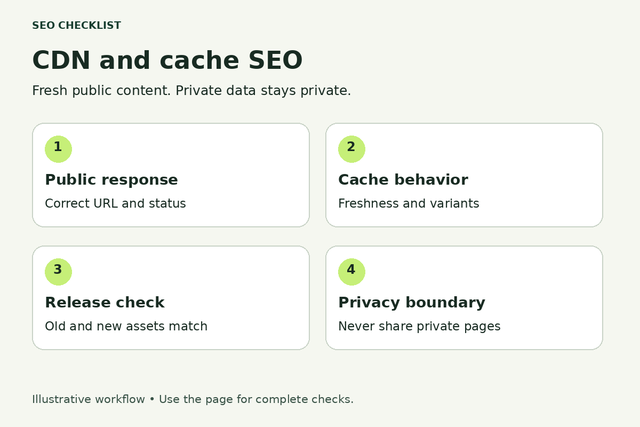
Four CDN checks cover the public response, cache freshness, release assets and private data boundaries.
Fresh public content. Private data stays private.
Your working checklist

Work through the checklist

Click a square to mark a task as Pass. Click again to undo. Use the result menu for a problem, a blocker or a task that does not apply. You do not need to enter notes.

12 checks

Understand freshness and privacy

Map the layers, identify the version and protect sensitive responses.

Map the cache layers and owners

Know which system can return stale content.

Use this for: Public pages and their required resources within the sampled template or URL group.

List browser caching, CDN edge caching and any application cache that affects public pages. Ask the platform owner which rules are active rather than assuming the provider defaults apply. Record who can safely change a rule or purge a resource.

Compare the same URL and intended public state. Record a short finding only if it helps you or the person making the fix; no screenshot or evidence upload is required to complete this checklist.

Example

Hypothetical example: A CMS update is correct at the application but an edge rule still serves the previous HTML.

  1. Identify the hosting and CDN provider.
  2. Ask which public responses are cached.
  3. Find the owner for rules and invalidation.
More help and optional notesHigh · Site owner with developer or platform support where needed.

Before you begin: Permission to inspect the relevant site or diagnostic account.

PassThe relevant cache layers and change owners are known.
FailNobody can explain which layer serves the observed version.

If it fails: Create a short cache map with the developer or host.

Retest: Repeat the same comparison after the change, then check another URL using the same template or rule.

Not applicable: The tested feature or response variant does not exist.

Keep in mind: A passing sample does not establish that every URL behaves correctly or guarantee indexing.

Optional: URL, time, expected result, observed result and next action. Keep confidential data out of shared exports.

No result recorded yet.

Changing this result updates your checkmark and progress immediately. Notes are optional.

Compare a known content version

Establish whether freshness is actually wrong.

Use this for: Public pages and their required resources within the sampled template or URL group.

Choose a recently updated public page and a distinctive factual sentence or release marker. Compare what normal visitors receive against the approved published version. Avoid adding personal data or internal identifiers to a public debugging marker.

Compare the same URL and intended public state. Record a short finding only if it helps you or the person making the fix; no screenshot or evidence upload is required to complete this checklist.

Example

Hypothetical example: The approved page says support closes at 6 pm but one response still says 5 pm.

  1. Choose a safe public content marker.
  2. Load the page normally.
  3. Record the expected and observed versions.
More help and optional notesHigh · Site owner with developer or platform support where needed.

Before you begin: Permission to inspect the relevant site or diagnostic account.

PassVisitors receive the intended published content within the agreed freshness window.
FailThe old version persists beyond that window.

If it fails: Identify the stale layer before changing cache policy.

Retest: Repeat the same comparison after the change, then check another URL using the same template or rule.

Not applicable: The tested feature or response variant does not exist.

Keep in mind: A passing sample does not establish that every URL behaves correctly or guarantee indexing.

Optional: URL, time, expected result, observed result and next action. Keep confidential data out of shared exports.

No result recorded yet.

Changing this result updates your checkmark and progress immediately. Notes are optional.

Read cache directives before changing rules

Distinguish storage from freshness.

Use this for: Public pages and their required resources within the sampled template or URL group.

Ask a technical owner to inspect response headers and the rules that may override them. No-cache generally requires revalidation rather than forbidding storage; no-store forbids storage, while private excludes shared-cache storage. Provider behavior and configuration still need checking.

Compare the same URL and intended public state. Record a short finding only if it helps you or the person making the fix; no screenshot or evidence upload is required to complete this checklist.

Example

Hypothetical example: A team mistakenly treats no-cache as a privacy guarantee for an account response.

  1. Inspect Cache-Control on a sample response.
  2. Review any edge overrides.
  3. Confirm the intended browser and shared-cache behavior separately.
More help and optional notesHigh · Site owner with developer or platform support where needed.

Before you begin: Permission to inspect the relevant site or diagnostic account.

PassObserved rules agree with the response’s intended sensitivity and freshness.
FailA directive is misunderstood or overridden without review.

If it fails: Set explicit policies with the platform owner and retest actual responses.

Retest: Repeat the same comparison after the change, then check another URL using the same template or rule.

Not applicable: The tested feature or response variant does not exist.

Keep in mind: A passing sample does not establish that every URL behaves correctly or guarantee indexing.

Optional: URL, time, expected result, observed result and next action. Keep confidential data out of shared exports.

No result recorded yet.

Changing this result updates your checkmark and progress immediately. Notes are optional.

Preserve private and authenticated exclusions

Prevent personal information entering a shared cache.

Use this for: Public pages and their required resources within the sampled template or URL group.

Treat account, checkout, personalized and authenticated responses as a separate security requirement. Do not enable cache-everything as an SEO shortcut. If exposure is suspected, stop broad testing and involve the security owner; never collect another person’s data to demonstrate the issue.

Compare the same URL and intended public state. Record a short finding only if it helps you or the person making the fix; no screenshot or evidence upload is required to complete this checklist.

Example

Hypothetical example: A public product cache rule accidentally includes the customer account route.

  1. Identify sensitive route classes with the owner.
  2. Review their shared-cache exclusions.
  3. Use approved test accounts only for validation.
More help and optional notesHigh · Site owner with developer or platform support where needed.

Before you begin: Permission to inspect the relevant site or diagnostic account.

PassPrivate responses are excluded according to the application’s security design.
FailA broad rule can cache personalized content for other visitors.

If it fails: Escalate immediately and correct exclusions through the approved incident or change process.

Retest: Repeat the same comparison after the change, then check another URL using the same template or rule.

Not applicable: The site has no private, personalized or authenticated routes.

Keep in mind: A passing sample does not establish that every URL behaves correctly or guarantee indexing.

Optional: URL, time, expected result, observed result and next action. Keep confidential data out of shared exports.

No result recorded yet.

Changing this result updates your checkmark and progress immediately. Notes are optional.

Check variants and release updates

Review keys, discovery files, invalidation and asset consistency.

Check that cache keys preserve meaningful variants

Avoid serving the wrong language or page.

Use this for: Public pages and their required resources within the sampled template or URL group.

Ask the developer which URL parts, headers and cookies affect the cache key. Compare only supported public variants. Tracking parameters may be ignored safely in some designs, but content-changing parameters or language selectors must not accidentally collapse into the same cached response.

Compare the same URL and intended public state. Record a short finding only if it helps you or the person making the fix; no screenshot or evidence upload is required to complete this checklist.

Example

Hypothetical example: English and French pages share a cache entry despite different public content.

  1. List genuine public content variants.
  2. Test each supported variant with approved low-volume requests.
  3. Compare the returned main content and canonical.
More help and optional notesHigh · Site owner with developer or platform support where needed.

Before you begin: Permission to inspect the relevant site or diagnostic account.

PassEach meaningful variant receives its intended response.
FailA variant receives another language, product or content state.

If it fails: Align the cache key and variation rules with the application’s actual behavior.

Retest: Repeat the same comparison after the change, then check another URL using the same template or rule.

Not applicable: The tested feature or response variant does not exist.

Keep in mind: A passing sample does not establish that every URL behaves correctly or guarantee indexing.

Optional: URL, time, expected result, observed result and next action. Keep confidential data out of shared exports.

No result recorded yet.

Changing this result updates your checkmark and progress immediately. Notes are optional.

Check SEO files and metadata after changes

Prevent stale discovery instructions.

Use this for: Public pages and their required resources within the sampled template or URL group.

After publishing a meaningful update, inspect the page title, canonical and robots directives as well as relevant sitemap and robots.txt responses. A fresh page body does not prove these related responses are fresh. Some providers cache robots.txt even when HTML is not cached by default.

Compare the same URL and intended public state. Record a short finding only if it helps you or the person making the fix; no screenshot or evidence upload is required to complete this checklist.

Example

Hypothetical example: The page is public but an old cached robots.txt still disallows its directory.

  1. Load the changed public page.
  2. Check related sitemap and robots rules where applicable.
  3. Compare metadata with the approved release.
More help and optional notesHigh · Site owner with developer or platform support where needed.

Before you begin: Permission to inspect the relevant site or diagnostic account.

PassCurrent content and discovery instructions agree.
FailStale metadata or discovery files contradict the release.

If it fails: Invalidate the affected resources and correct their freshness policy.

Retest: Repeat the same comparison after the change, then check another URL using the same template or rule.

Not applicable: The tested feature or response variant does not exist.

Keep in mind: A passing sample does not establish that every URL behaves correctly or guarantee indexing.

Optional: URL, time, expected result, observed result and next action. Keep confidential data out of shared exports.

No result recorded yet.

Changing this result updates your checkmark and progress immediately. Notes are optional.

Use targeted invalidation after publication

Refresh the needed content without a blanket purge.

Use this for: Public pages and their required resources within the sampled template or URL group.

Use the provider’s supported purge or revalidation workflow through an authorized owner. Include affected variants and dependent pages, not just the visible URL. A full-cache purge can increase origin load and should not be the routine response to a single stale page.

Compare the same URL and intended public state. Record a short finding only if it helps you or the person making the fix; no screenshot or evidence upload is required to complete this checklist.

Example

Hypothetical example: A product update requires refreshing its page and the category card that displays its price.

  1. Identify the changed resources and dependencies.
  2. Request the narrow supported invalidation.
  3. Check normal responses again after completion.
More help and optional notesHigh · Site owner with developer or platform support where needed.

Before you begin: Permission to inspect the relevant site or diagnostic account.

PassAffected content refreshes without unnecessary broad invalidation.
FailOnly one variant refreshes or broad purges mask a broken workflow.

If it fails: Fix the publishing-to-invalidation workflow with the platform owner.

Retest: Repeat the same comparison after the change, then check another URL using the same template or rule.

Not applicable: The tested feature or response variant does not exist.

Keep in mind: A passing sample does not establish that every URL behaves correctly or guarantee indexing.

Optional: URL, time, expected result, observed result and next action. Keep confidential data out of shared exports.

No result recorded yet.

Changing this result updates your checkmark and progress immediately. Notes are optional.

Keep versioned assets consistent with HTML

Avoid missing scripts after a release.

Use this for: Public pages and their required resources within the sampled template or URL group.

Compare referenced CSS, JavaScript and essential images with the deployed files. Long-lived asset caching works best when content changes produce new asset URLs. Old HTML may still reference the previous asset version, so do not remove those files prematurely without the deployment owner’s review.

Compare the same URL and intended public state. Record a short finding only if it helps you or the person making the fix; no screenshot or evidence upload is required to complete this checklist.

Example

Hypothetical example: Cached HTML requests a deleted JavaScript chunk and the page becomes blank.

  1. Inspect a changed page after deployment.
  2. Look for missing required asset requests.
  3. Check whether old and new page versions can load their referenced assets.
More help and optional notesHigh · Site owner with developer or platform support where needed.

Before you begin: Permission to inspect the relevant site or diagnostic account.

PassBoth relevant page versions can load required assets during the release transition.
FailA release leaves cached pages referencing missing files.

If it fails: Use a coordinated versioned-asset and retention strategy.

Retest: Repeat the same comparison after the change, then check another URL using the same template or rule.

Not applicable: The tested feature or response variant does not exist.

Keep in mind: A passing sample does not establish that every URL behaves correctly or guarantee indexing.

Optional: URL, time, expected result, observed result and next action. Keep confidential data out of shared exports.

No result recorded yet.

Changing this result updates your checkmark and progress immediately. Notes are optional.

Validate normal delivery

Check cached failures, interpret headers and retest safely.

Check cached redirects and error responses

Catch stale failures at the edge.

Use this for: Public pages and their required resources within the sampled template or URL group.

If a page still redirects or fails after an origin fix, ask whether that response can be cached. Check the actual status and destination, not only the browser’s visual result. Do not expose or probe an origin address to bypass protections; have the authorized owner compare layers safely.

Compare the same URL and intended public state. Record a short finding only if it helps you or the person making the fix; no screenshot or evidence upload is required to complete this checklist.

Example

Hypothetical example: A corrected URL still returns an old redirect from an edge location.

  1. Record the status and redirect destination.
  2. Compare expected behavior with the platform owner.
  3. Review cache policy for that response class.
More help and optional notesHigh · Site owner with developer or platform support where needed.

Before you begin: Permission to inspect the relevant site or diagnostic account.

PassRedirects and errors reflect the current intended behavior.
FailAn obsolete cached redirect or failure remains active.

If it fails: Invalidate the affected response and adjust its policy if necessary.

Retest: Repeat the same comparison after the change, then check another URL using the same template or rule.

Not applicable: The tested feature or response variant does not exist.

Keep in mind: A passing sample does not establish that every URL behaves correctly or guarantee indexing.

Optional: URL, time, expected result, observed result and next action. Keep confidential data out of shared exports.

No result recorded yet.

Changing this result updates your checkmark and progress immediately. Notes are optional.

Interpret edge headers as diagnostics

Do not make cache hits a ranking target.

Use this for: Public pages and their required resources within the sampled template or URL group.

Inspect the provider’s cache status and Age headers when available. A miss, bypass or dynamic response can be correct for that resource. Use headers to explain which layer answered and how freshness behaves, not to demand a hit on every HTML page.

Compare the same URL and intended public state. Record a short finding only if it helps you or the person making the fix; no screenshot or evidence upload is required to complete this checklist.

Example

Hypothetical example: An account route correctly bypasses the shared cache while a public image is a hit.

  1. Inspect a public page and a static asset.
  2. Interpret the statuses using provider documentation.
  3. Compare the result with the intended policy.
More help and optional notesMedium · Site owner with developer or platform support where needed.

Before you begin: Permission to inspect the relevant site or diagnostic account.

PassCache behavior matches each resource’s purpose.
FailEvery miss is treated as an SEO failure or a stale hit is ignored.

If it fails: Correct unintended behavior rather than optimizing a hit-rate label in isolation.

Retest: Repeat the same comparison after the change, then check another URL using the same template or rule.

Not applicable: The tested feature or response variant does not exist.

Keep in mind: A passing sample does not establish that every URL behaves correctly or guarantee indexing.

Optional: URL, time, expected result, observed result and next action. Keep confidential data out of shared exports.

No result recorded yet.

Changing this result updates your checkmark and progress immediately. Notes are optional.

Sample more than one normal delivery path

Find inconsistent edge behavior safely.

Use this for: Public pages and their required resources within the sampled template or URL group.

If users report regional differences, compare a small number of authorized checks from relevant locations or provider diagnostics. Keep URLs and public variants consistent. A hard refresh or local browser cache clear alone cannot prove that every edge location has refreshed.

Compare the same URL and intended public state. Record a short finding only if it helps you or the person making the fix; no screenshot or evidence upload is required to complete this checklist.

Example

Hypothetical example: Two supported monitoring locations receive different versions of the same public announcement.

  1. Use existing approved monitoring if available.
  2. Compare content markers and response headers.
  3. Escalate inconsistent results with times and request identifiers.
More help and optional notesMedium · Site owner with developer or platform support where needed.

Before you begin: Permission to inspect the relevant site or diagnostic account.

PassSampled normal delivery paths return the intended version.
FailThe same public variant remains inconsistent across relevant samples.

If it fails: Have the CDN owner inspect propagation, variant keys and invalidation coverage.

Retest: Repeat the same comparison after the change, then check another URL using the same template or rule.

Not applicable: The tested feature or response variant does not exist.

Keep in mind: A passing sample does not establish that every URL behaves correctly or guarantee indexing.

Optional: URL, time, expected result, observed result and next action. Keep confidential data out of shared exports.

No result recorded yet.

Changing this result updates your checkmark and progress immediately. Notes are optional.

Retest freshness and privacy after the change

Validate the fix without weakening boundaries.

Use this for: Public pages and their required resources within the sampled template or URL group.

After a cache change, check the original stale page, another page using the rule and the sensitive-route exclusions. Confirm that origin load and user experience remain acceptable with the owner. Faster delivery is useful, but a cache change does not guarantee improved search rankings.

Compare the same URL and intended public state. Record a short finding only if it helps you or the person making the fix; no screenshot or evidence upload is required to complete this checklist.

Example

Hypothetical example: A shorter public-page TTL fixes freshness but unexpectedly increases load; the owner adjusts the release workflow instead.

  1. Repeat the original freshness test.
  2. Check related public routes and privacy exclusions.
  3. Agree on rollback criteria if errors or load increase.
More help and optional notesHigh · Site owner with developer or platform support where needed.

Before you begin: Permission to inspect the relevant site or diagnostic account.

PassFreshness improves while privacy and service stability remain intact.
FailThe fix creates exposure, instability or unresolved stale variants.

If it fails: Roll back through the approved process and refine the narrow policy.

Retest: Repeat the same comparison after the change, then check another URL using the same template or rule.

Not applicable: The tested feature or response variant does not exist.

Keep in mind: A passing sample does not establish that every URL behaves correctly or guarantee indexing.

Optional: URL, time, expected result, observed result and next action. Keep confidential data out of shared exports.

No result recorded yet.

Changing this result updates your checkmark and progress immediately. Notes are optional.

Reset this checklist?

This removes saved statuses, evidence and result dates for the checks on this page. Other checklists keep their records. Export a CSV first if you need a copy.

A useful result, every time

Check a task. Choose a result.

This is a manual SEO workflow. It helps you decide what to investigate and keep a usable record. It does not crawl your website or verify your answers automatically.

  1. Choose your scope. Pick the relevant task group and representative pages you are authorized to inspect.
  2. Run the stated check. Follow the steps, then choose your result. Click the square for Pass, or use the result menu for another status. You do not need to type anything.
  3. Assign the next action. Fix a problem when you can, or ask the right person for help. Optional notes can remind you what to do next. Check the result again after a fix.

What your progress means

Review progress counts passes and failures against applicable checks. Failed work still counts as reviewed. Blocked and untested checks remain unfinished. This is not an SEO score.

Untested
You have not checked this yet.
Pass
You checked it and it works as described.
Fail
You checked it and found something to fix.
Blocked
You need access, information or someone’s help.
Not applicable
This task does not apply to your website.

Export CSV downloads the checks currently shown and any optional notes. Print expands the instructions for that view. Saved results stay in this browser; there is no account sync.

Apply the workflow

Use the specialist checklist for the underlying fix

This page diagnoses its specific failure class. Use the related guides below when the issue needs a broader technical change.

Does every HTML page need a CDN cache hit?

No. Dynamic or personalized responses may correctly bypass shared caching. The useful outcome is the right content under an appropriate policy, not a hit label on every request. Measure freshness and user experience alongside safety.

Does no-cache mean a response cannot be stored?

No. It generally means the stored response must be validated before reuse. No-store and private serve different purposes. Have the platform owner review effective headers and edge overrides, particularly for authenticated or personalized pages.

Can a CDN serve stale SEO signals?

Yes, if the relevant responses are cached under an unsuitable policy or invalidation misses a variant. Check titles, canonicals, robots directives and discovery files alongside the visible body after a release. Do not assume a browser refresh clears the edge cache.

Should you purge the entire cache after every edit?

Usually a targeted supported refresh is the better starting point. Identify the changed resources and their dependencies. Let the platform owner decide when a broader purge is justified because it can increase traffic to the origin.

Connect This Review to Your Technical Audit

Use this specialist workflow for the specific issue, then review the wider technical conditions separately.

A clear process, with honest limits.

Follow the steps, choose the result that matches what you found, and check again after changes. Notes are optional. A completed check does not guarantee indexing, traffic or rankings. How the checklists work.